Domani lo farò e ti farò sapere :ok:

Installa l'app
Come installare l'app su iOS
Segui il video qui sotto per vedere come installare il nostro sito come web app sulla tua schermata principale.
Nota: Questa funzionalità potrebbe non essere disponibile in alcuni browser.
Pubblicità
Stai usando un browser non aggiornato. Potresti non visualizzare correttamente questo o altri siti web.
Dovreste aggiornare o usare un browser alternativo.
Dovreste aggiornare o usare un browser alternativo.
[FTTC] TIM 100/20 Mb/sec
- Autore discussione Aereo
- Data d'inizio
Pubblicità

NeonIT
Utente Èlite
- Messaggi
- 3,895
- Reazioni
- 1,363
- Punteggio
- 77
Bene ;)Domani lo farò e ti farò sapere :ok:
Notte a tutti :)

soap00
Utente Attivo
- Messaggi
- 220
- Reazioni
- 16
- Punteggio
- 39
Guarda ho chiamato il 187 ma non area tecnica, area commerciale e gli ho spiegato la situazione...A chi hai dovuto fare reclamo per ricevere questa comunicazione?
Comunque io oggi ho chiamato al 1949 e una operatrice mi ha avvisato che il mio è un guasto di zona che coinvolge 17 utenze(E quindi si presume che non sia un problema che riguarda l'armadio visto che nel mio sono l'unico), e che per domani è stato programmato un intervento tecnico. Non so se queste affermazioni siano vere ma almeno lo spero...
Allora, ho fatto come dici tu, reset da quella pagina di configurazione... Alla fine non è cambiato nulla, tutti i dispositivi wifi che ho a casa non riescono a vedere il wifi 2.4ghz. Premetto che dopo il reset ho subito cambiato i nomi ssid ad entrambe le bande 2.4ghz e 5ghz per differenziarli ai dispositivi wifi. E infatti questi vedono solo la banda 5ghz (il cui ssid l'ho chiamato retecasa5).
Codice:
14.01.2017 11:15:01 User has successfully logged into web-ui(192.168.1.2)
14.01.2017 11:14:58 Web-ui session has timed out
14.01.2017 11:14:33 DHCP is active: 14.01.2017 11:14:33 WLAN android-c7419c24c89c9a3c AC:9E:17:1F:9D:2F 192.168.1.4 255.255.255.0 192.168.1.1; 192.168.1.1 21600
14.01.2017 11:14:30 Providing DHCP information to a requesting station has failed
14.01.2017 11:14:30 WLAN station successfully connected to 5 GHz band. Computer name:  , MAC-address: AC:9E:17:1F:9D:2F
14.01.2017 11:11:12 DHCP is active: 14.01.2017 11:11:12 WLAN android-9af25ff4b4cf2920 64:BC:0C:7F:4D:A4 192.168.1.3 255.255.255.0 192.168.1.1; 192.168.1.1 21600
14.01.2017 11:11:05 WLAN station successfully connected to 5 GHz band. Computer name:  , MAC-address: 64:BC:0C:7F:4D:A4
14.01.2017 11:09:17 WLAN 802.11ac has been activated
14.01.2017 11:09:17 WLAN 802.11b/g/n has been activated
14.01.2017 11:08:52 WLAN 802.11ac has been deactivated
14.01.2017 11:08:52 WLAN 802.11b/g/n has been deactivated
14.01.2017 11:08:50 WLAN password has been changed
14.01.2017 11:08:50 WLAN SSID has been changed: retecasa5
14.01.2017 11:08:35 WLAN 802.11ac has been activated
14.01.2017 11:08:35 WLAN 802.11b/g/n has been activated
14.01.2017 11:08:11 WLAN 802.11ac has been deactivated
14.01.2017 11:08:11 WLAN 802.11b/g/n has been deactivated
14.01.2017 11:08:08 WLAN password has been changed
14.01.2017 11:08:08 WLAN SSID has been changed: retecasa
14.01.2017 11:07:07 User has successfully logged into web-ui(192.168.1.2)
14.01.2017 11:02:06 DHCP is active: 14.01.2017 11:02:06 WLAN android-9af25ff4b4cf2920 64:BC:0C:7F:4D:A4 192.168.1.3 255.255.255.0 192.168.1.1; 192.168.1.1 21600
14.01.2017 11:01:59 WLAN station successfully connected to 5 GHz band. Computer name:  , MAC-address: 64:BC:0C:7F:4D:A4
14.01.2017 11:01:54 Time Server successfully connected and time synchronisation achieved
14.01.2017 11:01:48 Internet Telephonie connection (+censored) has successfully been established: IP-Adresse: 87.11.225.117, Internet-Rufnummer: +censore is filled with the telefone number that responded by the server, if available
14.01.2017 11:01:48 The HG tries to contact the ACS
14.01.2017 11:01:43 Internet connection successfully established
14.01.2017 11:01:43 From internet service provider transferred Gateway IP address: 87.11.225.117
14.01.2017 11:01:43 Timeout during PPP initialization(IPCP)
14.01.2017 11:01:43 Registering with VoIP number (+censored) failed: DNS error
14.01.2017 11:01:41 Info: PADS packet received by the HG
14.01.2017 11:01:41 Info: PADR packet sent by the HG
14.01.2017 11:01:41 Info: PADO packet received by the HG
14.01.2017 11:01:41 Info: PADI packet sent by the HG
14.01.2017 11:01:41 Connection breakdown
14.01.2017 11:01:40 Info: PADT packet sent by the HG
14.01.2017 11:01:38 Info: PADT packet sent by the HG
14.01.2017 11:01:38 Connection to the Internet has been terminated
14.01.2017 11:01:32 The HG tries to contact the ACS
14.01.2017 11:01:00 The HG tries to contact the ACS
14.01.2017 11:00:49 Time Server successfully connected and time synchronisation achieved
14.01.2017 11:00:49 Internet connection successfully established
14.01.2017 11:00:49 From internet service provider transferred Gateway IP address: 87.11.217.41
14.01.2017 11:00:49 Timeout during PPP initialization(IPCP)
14.01.2017 11:00:47 Info: PADS packet received by the HG
14.01.2017 11:00:47 Info: PADR packet sent by the HG
14.01.2017 11:00:47 Info: PADO packet received by the HG
14.01.2017 11:00:47 Info: PADI packet sent by the HG
14.01.2017 11:00:46 Info: PADT packet sent by the HG
14.01.2017 11:00:43 DHCPv6 server is active: Jan  1 01:01:14 fe80::1
14.01.2017 11:00:41 UPnP AV server started
14.01.2017 11:00:22 WLAN 802.11ac has been activated
14.01.2017 11:00:22 WLAN 802.11b/g/n has been activated
14.01.2017 11:00:19 The WLAN channel has been dynamically switched to channel 100
14.01.2017 11:00:19 The WLAN channel is being dynamically switched from channel 36
14.01.2017 11:00:16 DSL is available (DSL successfully synchronized)
14.01.2017 11:00:06 The WLAN channel has been dynamically switched to channel 2
14.01.2017 11:00:06 The WLAN channel is being dynamically switched from channel 1
14.01.2017 10:59:48 DHCP is active: 01.01.2013 01:00:19 LAN tr1n1ty d0:50:99:30:d6:b3 192.168.1.2 255.255.255.0 192.168.1.1; 192.168.1.1 21600
14.01.2017 10:59:48 DSL synchronization running
14.01.2017 10:59:46 Providing DHCP information to a requesting station has failed
14.01.2017 10:58:49 Info: PADT packet sent by the HG
14.01.2017 10:58:49 Connection to the Internet has been terminated
14.01.2017 10:58:49 Reboot has been triggered by web-ui or device-button (if device button for reboot is applicable) on purpose
14.01.2017 10:58:36 The device has been reset to factory defaults
Credo proprio che sia andato a farsi benedire l'hardware del modem, o almeno una piccola parte del modulo wifi, quello 2.4ghz. Anche se mi pare stranissimo da un momento all'altro possa "rompersi", altrimenti risulterebbe veramente un modem di bassa fascia. Altra ipotesi sul malfunzionamento è che potrebbe essere legato al firmware, ma anche qui è ancora più strano visto che questo firmware, AGSOT_1.0.4 (che è quello che hanno tutti presumo), ce l'ho da un mese ormai.
Cmq: ieri notte verso le una la banda 2.4ghz ha ripreso a funzionare e durato per una 10minuti e poi tac, scompare.... strano eh?
NeonIT
Utente Èlite
- Messaggi
- 3,895
- Reazioni
- 1,363
- Punteggio
- 77
Chiedi la sostituzioneAllora, ho fatto come dici tu, reset da quella pagina di configurazione... Alla fine non è cambiato nulla, tutti i dispositivi wifi che ho a casa non riescono a vedere il wifi 2.4ghz. Premetto che dopo il reset ho subito cambiato i nomi ssid ad entrambe le bande 2.4ghz e 5ghz per differenziarli ai dispositivi wifi. E infatti questi vedono solo la banda 5ghz (il cui ssid l'ho chiamato retecasa5).
Codice:14.01.2017 11:15:01 User has successfully logged into web-ui(192.168.1.2) 14.01.2017 11:14:58 Web-ui session has timed out 14.01.2017 11:14:33 DHCP is active: 14.01.2017 11:14:33 WLAN android-c7419c24c89c9a3c AC:9E:17:1F:9D:2F 192.168.1.4 255.255.255.0 192.168.1.1; 192.168.1.1 21600 14.01.2017 11:14:30 Providing DHCP information to a requesting station has failed 14.01.2017 11:14:30 WLAN station successfully connected to 5 GHz band. Computer name: , MAC-address: AC:9E:17:1F:9D:2F 14.01.2017 11:11:12 DHCP is active: 14.01.2017 11:11:12 WLAN android-9af25ff4b4cf2920 64:BC:0C:7F:4D:A4 192.168.1.3 255.255.255.0 192.168.1.1; 192.168.1.1 21600 14.01.2017 11:11:05 WLAN station successfully connected to 5 GHz band. Computer name: , MAC-address: 64:BC:0C:7F:4D:A4 14.01.2017 11:09:17 WLAN 802.11ac has been activated 14.01.2017 11:09:17 WLAN 802.11b/g/n has been activated 14.01.2017 11:08:52 WLAN 802.11ac has been deactivated 14.01.2017 11:08:52 WLAN 802.11b/g/n has been deactivated 14.01.2017 11:08:50 WLAN password has been changed 14.01.2017 11:08:50 WLAN SSID has been changed: retecasa5 14.01.2017 11:08:35 WLAN 802.11ac has been activated 14.01.2017 11:08:35 WLAN 802.11b/g/n has been activated 14.01.2017 11:08:11 WLAN 802.11ac has been deactivated 14.01.2017 11:08:11 WLAN 802.11b/g/n has been deactivated 14.01.2017 11:08:08 WLAN password has been changed 14.01.2017 11:08:08 WLAN SSID has been changed: retecasa 14.01.2017 11:07:07 User has successfully logged into web-ui(192.168.1.2) 14.01.2017 11:02:06 DHCP is active: 14.01.2017 11:02:06 WLAN android-9af25ff4b4cf2920 64:BC:0C:7F:4D:A4 192.168.1.3 255.255.255.0 192.168.1.1; 192.168.1.1 21600 14.01.2017 11:01:59 WLAN station successfully connected to 5 GHz band. Computer name: , MAC-address: 64:BC:0C:7F:4D:A4 14.01.2017 11:01:54 Time Server successfully connected and time synchronisation achieved 14.01.2017 11:01:48 Internet Telephonie connection (+censored) has successfully been established: IP-Adresse: 87.11.225.117, Internet-Rufnummer: +censore is filled with the telefone number that responded by the server, if available 14.01.2017 11:01:48 The HG tries to contact the ACS 14.01.2017 11:01:43 Internet connection successfully established 14.01.2017 11:01:43 From internet service provider transferred Gateway IP address: 87.11.225.117 14.01.2017 11:01:43 Timeout during PPP initialization(IPCP) 14.01.2017 11:01:43 Registering with VoIP number (+censored) failed: DNS error 14.01.2017 11:01:41 Info: PADS packet received by the HG 14.01.2017 11:01:41 Info: PADR packet sent by the HG 14.01.2017 11:01:41 Info: PADO packet received by the HG 14.01.2017 11:01:41 Info: PADI packet sent by the HG 14.01.2017 11:01:41 Connection breakdown 14.01.2017 11:01:40 Info: PADT packet sent by the HG 14.01.2017 11:01:38 Info: PADT packet sent by the HG 14.01.2017 11:01:38 Connection to the Internet has been terminated 14.01.2017 11:01:32 The HG tries to contact the ACS 14.01.2017 11:01:00 The HG tries to contact the ACS 14.01.2017 11:00:49 Time Server successfully connected and time synchronisation achieved 14.01.2017 11:00:49 Internet connection successfully established 14.01.2017 11:00:49 From internet service provider transferred Gateway IP address: 87.11.217.41 14.01.2017 11:00:49 Timeout during PPP initialization(IPCP) 14.01.2017 11:00:47 Info: PADS packet received by the HG 14.01.2017 11:00:47 Info: PADR packet sent by the HG 14.01.2017 11:00:47 Info: PADO packet received by the HG 14.01.2017 11:00:47 Info: PADI packet sent by the HG 14.01.2017 11:00:46 Info: PADT packet sent by the HG 14.01.2017 11:00:43 DHCPv6 server is active: Jan 1 01:01:14 fe80::1 14.01.2017 11:00:41 UPnP AV server started 14.01.2017 11:00:22 WLAN 802.11ac has been activated 14.01.2017 11:00:22 WLAN 802.11b/g/n has been activated 14.01.2017 11:00:19 The WLAN channel has been dynamically switched to channel 100 14.01.2017 11:00:19 The WLAN channel is being dynamically switched from channel 36 14.01.2017 11:00:16 DSL is available (DSL successfully synchronized) 14.01.2017 11:00:06 The WLAN channel has been dynamically switched to channel 2 14.01.2017 11:00:06 The WLAN channel is being dynamically switched from channel 1 14.01.2017 10:59:48 DHCP is active: 01.01.2013 01:00:19 LAN tr1n1ty d0:50:99:30:d6:b3 192.168.1.2 255.255.255.0 192.168.1.1; 192.168.1.1 21600 14.01.2017 10:59:48 DSL synchronization running 14.01.2017 10:59:46 Providing DHCP information to a requesting station has failed 14.01.2017 10:58:49 Info: PADT packet sent by the HG 14.01.2017 10:58:49 Connection to the Internet has been terminated 14.01.2017 10:58:49 Reboot has been triggered by web-ui or device-button (if device button for reboot is applicable) on purpose 14.01.2017 10:58:36 The device has been reset to factory defaults
Credo proprio che sia andato a farsi benedire l'hardware del modem, o almeno una piccola parte del modulo wifi, quello 2.4ghz. Anche se mi pare stranissimo da un momento all'altro possa "rompersi", altrimenti risulterebbe veramente un modem di bassa fascia. Altra ipotesi sul malfunzionamento è che potrebbe essere legato al firmware, ma anche qui è ancora più strano visto che questo firmware, AGSOT_1.0.4 (che è quello che hanno tutti presumo), ce l'ho da un mese ormai.
Cmq: ieri notte verso le una la banda 2.4ghz ha ripreso a funzionare e durato per una 10minuti e poi tac, scompare.... strano eh?

Chiedi la sostituzione
Infatti poco prima è arrivato il tecnico, a mia sorpresa, ma aveva portato il modem baffo. Appena ha visto il sercomm ci è rimasto di m***a perchè non poteva sostituirlo con quel baffo. Ritornerà lunedì con uno smart modem, probabilmente il sercomm o lo scolapasta. Ci era rimasto male, si è detto più volte dispiaciuto. :asd: Molto professionale cmq
Intendo che, vista la presenza di più prese (a prescindere se collegate o meno), è assai probabile che il cavo abbia subito maltrattamenti durante le operazioni di derivazione di linea.
Per verificarlo, dovresti stendere un nuovo doppino diretto fino alla prima presa.
Proprio perché il modem non riesce a raggiungere le prestazioni del tester, ritengo che esso sia la causa della lentezza.
La quantità di banda che gli apparati TIM riservano per la gestione del VoIP è esigua, non certamente 10 Mbps
.
Grazie ...
Ma stendere fino alla prima presa da dove?
Invece un'altra domanda :
Fino a ieri avevo avuto solo 3 massimo 4 errori CRC al giorno... oggi guardo, 202!! Cosa può essere successo??? Mi devo preoccupare??? Non ho stressato la linea più del solito comunque eh...

- Messaggi
- 13,600
- Reazioni
- 4,167
- Punteggio
- 112
Il canale ufficiale per ricevere risposte scritte dal settore competente di TIM è il fax al numero 800.000.187.A chi hai dovuto fare reclamo per ricevere questa comunicazione?
Comunque io oggi ho chiamato al 1949 e una operatrice mi ha avvisato che il mio è un guasto di zona che coinvolge 17 utenze(E quindi si presume che non sia un problema che riguarda l'armadio visto che nel mio sono l'unico), e che per domani è stato programmato un intervento tecnico. Non so se queste affermazioni siano vere ma almeno lo spero...
Solitamente, però, si può ricevere risposta scritta anche se il reclamo è stato aperto attraverso altri canali come la chat, il 187 o i profili social di TIM. ;)
Ti è andata non bene, ma benissimo.Infatti poco prima è arrivato il tecnico, a mia sorpresa, ma aveva portato il modem baffo. Appena ha visto il sercomm ci è rimasto di sheetah perchè non poteva sostituirlo con quel baffo. Ritornerà lunedì con uno smart modem, probabilmente il sercomm o lo scolapasta. Ci era rimasto male, si è detto più volte dispiaciuto. :asd: Molto professionale cmq
Qualche altro idiota avrebbe tentato lo stesso di affibbiarti il "baffo". :sisi:
Purtroppo sono ancora in giro delle scorte di questi schifosissimi apparati, generalmente solo per le sostituzioni.
Dalla chiostrina, ovvio...Grazie ...
Ma stendere fino alla prima presa da dove?
Invece un'altra domanda :
Fino a ieri avevo avuto solo 3 massimo 4 errori CRC al giorno... oggi guardo, 202!! Cosa può essere successo??? Mi devo preoccupare??? Non ho stressato la linea più del solito comunque eh...
I CRC possono essere causati da scompensi temporanei in armadio, ma anche, ad esempio, dall'umidità eccessiva (col freddo di questi giorni, anch'io ne sto riscontrando a vagonate).
Ti è andata non bene, ma benissimo.
Qualche altro idiota avrebbe tentato lo stesso di affibbiarti il "baffo". :sisi:
Purtroppo sono ancora in giro delle scorte di questi schifosissimi apparati, generalmente solo per le sostituzioni..
Vero. Cmq ora il wifi 2.4ghz ha ripreso a funzionare, per ora sta funzionando da 2 ore. BAH e ARIBAH. Vediamo quanto dura
FraFra1991
Nuovo Utente
- Messaggi
- 12
- Reazioni
- 1
- Punteggio
- 22
ciao a tutti. oggi mi hanno attivato fibra100 con il nuovo modem/router sercomm (quello tutto bianco con led verdi e quello power bianco, sta in piedi e no appoggiato come molti).
Facendo lo speedtest in ethernet viaggio sui 70mega, mentre in wifi varia dai 25 ai 50 in base ai punti della casa e se le porte delle camere son aperte o chiuse.
purtroppo la funzione wifi lascia molto a desiderare, quindi avevo pensato di disattivarla e collegare in cascata il mio archer D5 con sola funzione di router. collego il tutto e configuro e funziona. Il problema è appunto che pur avendo il router archer D5, la velocità nello speedtest in wifi è la stessa di quando lo testavo con il wifi del modem tim (ovvero sui 25/40mega), mentre se collego il pc con ethernet al router, ritorno a viaggiare a piena velocità.
Com'è possibile che con il wifi del D5 viaggio così lento come se fosse il wifi del modem tim??
Facendo lo speedtest in ethernet viaggio sui 70mega, mentre in wifi varia dai 25 ai 50 in base ai punti della casa e se le porte delle camere son aperte o chiuse.
purtroppo la funzione wifi lascia molto a desiderare, quindi avevo pensato di disattivarla e collegare in cascata il mio archer D5 con sola funzione di router. collego il tutto e configuro e funziona. Il problema è appunto che pur avendo il router archer D5, la velocità nello speedtest in wifi è la stessa di quando lo testavo con il wifi del modem tim (ovvero sui 25/40mega), mentre se collego il pc con ethernet al router, ritorno a viaggiare a piena velocità.
Com'è possibile che con il wifi del D5 viaggio così lento come se fosse il wifi del modem tim??
NeonIT
Utente Èlite
- Messaggi
- 3,895
- Reazioni
- 1,363
- Punteggio
- 77
Yep, il freddo fa su dei bei casini se troppo intenso. Anche io alcuni crc, per fortuna solo quelli, portante max sempre di 92700k.Il canale ufficiale per ricevere risposte scritte dal settore competente di TIM è il fax al numero 800.000.187.
Solitamente, però, si può ricevere risposta scritta anche se il reclamo è stato aperto attraverso altri canali come la chat, il 187 o i profili social di TIM. ;)
Ti è andata non bene, ma benissimo.
Qualche altro idiota avrebbe tentato lo stesso di affibbiarti il "baffo". :sisi:
Purtroppo sono ancora in giro delle scorte di questi schifosissimi apparati, generalmente solo per le sostituzioni.
Dalla chiostrina, ovvio...
I CRC possono essere causati da scompensi temporanei in armadio, ma anche, ad esempio, dall'umidità eccessiva (col freddo di questi giorni, anch'io ne sto riscontrando a vagonate).
Non capisco comunque, come la linea continui costantemente ad aumentare di velocità...sembra proprio cemento :asd:

Valerio Nebuloni
Utente Attivo
- Messaggi
- 258
- Reazioni
- 120
- Punteggio
- 53
Stessa tua condizione, sale la portante, ma credo nel contrario.. il freddo (nella mia zona ha iniziato da qualche tempo a farne davvero tanto e secco) secondo me fa lavorare meglio dslam e incrementa (come da teoria) le "prestazioni" del rameYep, il freddo fa su dei bei casini se troppo intenso. Anche io alcuni crc, per fortuna solo quelli, portante max sempre di 92700k.
Non capisco comunque, come la linea continui costantemente ad aumentare di velocità...sembra proprio cemento :asd:
Inviato dal mio FRD-L09 utilizzando Tapatalk

braungioxe
Utente Attivo
- Messaggi
- 182
- Reazioni
- 8
- Punteggio
- 39
Non ne posso più del baffo rosso(adb),dopo una settimana d'uso perde la connessione sicuramente per il fatto che scalda come una stufa e deve essere riavviato,visto che al 1949 non avrò speranze dite di comprare il nuovo su Amazon?Risolverei qualcosa?
Inviato dal mio FRD-L09 utilizzando Tapatalk
Inviato dal mio FRD-L09 utilizzando Tapatalk
FraFra1991
Nuovo Utente
- Messaggi
- 12
- Reazioni
- 1
- Punteggio
- 22
NeonIT
Utente Èlite
- Messaggi
- 3,895
- Reazioni
- 1,363
- Punteggio
- 77
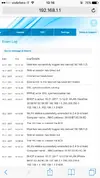
Cadute di linea, allega i valori.È la seconda volta in poco tempo che si scollega lo Smart modem fibra di sercomm. Ho allegato l'immagine dell'errore. Cosa può essere?!
Pubblicità
Pubblicità