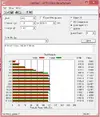
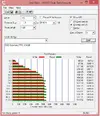
Ottima idea, io ho già 2 dischi da 750gb l'uno. Potrei copiare solo il S.O sull'altro? Esiste un modo per farlo dal prompt dos tipo questo esempio:
C> copy a:brazil1.dat b:\south\brazil2.datCreates a copy of 'BRAZIL1.DAT' from drive A on drive B, putting it in the 'SOUTH' subdirectory and renaming it 'BRAZIL2.DAT'.
- - - Updated - - -
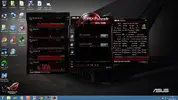
Nuovi parametri stabili: con Asus GPU Tweak ho ottenuto una miglior performance rispetto a MSI Afterburner
 - - - Updated - - -
Ciao Armando, hai provato a disabilitare il BT e il WFi?c'è un post ru ROG che dice abbia risolto così:
Good news, it isn't the BT driver per se, it is the BT features that get turned on every time you update the BT driver
I usually disable all of these because I know I don't want them on, but the last time I did a Wifi update the BT update came along in the package and I didn't have time to go through the BT options dialogs to disable everything.
Via the systray BT icon => Settings - turned off everything I don't want on, and quick reboot came right back
Turned off:
1) Options Tab => Notification "Alert me when a new Bluetooth device wants to connect"
2) Share Tab => Turned off "Allow remote devices to browse, send, and receive pictures, music, and other files"
3) Share Tab => Turned off "Allow remote devices to use the printer connected to your computer"
4) Sync Tab => Turned off "Allow Bluetooth devices to send you PIM items..."
A driver update shouldn't change your user preferences - especially ones that open up your security!
Anyway, not sure which one causes the hanging, but I don't want any of them on anyway
So I don't have to update the BT driver right now
Spero che ti faccia venire in mente qualcosa di nuovo dove indagare:boh::boh:
Forse alla fine non sarà colpa nel del BT e del WFI; allora mi vien da pensare cosa hanno o
non hanno i driver stabili della scheda video rispetto agli ultimi.