Ok,adesso lo scarico grazie :ok:
- - - Updated - - -
Con hd tune mi da (i massimali)
il velociraptor 191,6 mb/s
quello che riconosce SLA 99,2
e i due che dice ATA 114,9 e 111,2
quindi sembra che la differenza di velocità c'è!
resta sempre il mistero del perchè non me li riconosce sata2 o 3 e non ata... Bah
- - - Updated - - -
Prima non mi dava la figura con la risposta di lexoten... Adesso controllo
- - - Updated - - -
 - - - Updated - - -
Me Ne da solamente due di sata3! Come è possibile? Ma non sono 4?
sul libretto c'è scritto 4 e 4
- - - Updated - - -
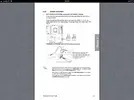
Ecco la differenza
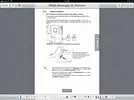
ASMedia® Serial ATA 6.0 Gb/s connectors (7-pin SATA6G_E1/E2 [red])
These connectors connect to Serial ATA 6.0 Gb/s hard disk drives via Serial ATA 6.0 Gb/s signal cables.
The SATA6G_E1/E2 (red) connectors are for data drives only. ATAPI device is not supported.
• You must install Windows® XP Service Pack 3 or later versions before using Serial ATA hard disk drives.
• When using NCQ, set the Asmedia Storage Controller item in the BIOS to [Enabled]. Refer to section 3.5.5 Onboard Devices Configuration for details.
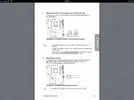
Intel® X79 Serial ATA 6.0 Gb/s connectors (7-pin SATA6G_1/2 [red])
These connectors connect to Serial ATA 6.0 Gb/s hard disk drives via Serial ATA 6.0 Gb/s signal cables.
If you installed Serial ATA hard disk drives, you can create a RAID 0, 1, 5, and 10 configuration with the Intel® Rapid Storage Technology through the onboard Intel® X79 chipset.
These connectors are set to [AHCI Mode] by default. If you intend to create a Serial ATA RAID set using these connectors, set the SATA Mode item in the BIOS to [RAID Mode]. Refer to section 3.5.3 SATA Configuration for details.
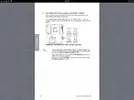
• Before creating a RAID set, refer to section 4.4 RAID configurations or the manual bundled in the motherboard support DVD.
• When using NCQ, set the SATA Mode in the BIOS to [AHCI Mode]. Refer to section 3.5.3 SATA Configuration for details.
quindi cosa dovrei fare? Mettere quello veloce su 1/2 e non su e1/e2? Cosa cambierebbe?