EmanueleC
Utente Èlite
- Messaggi
- 5,786
- Reazioni
- 1,916
- Punteggio
- 168
perdonate l'ignoranza... ma visto che praticamente nella btrfs ci sono root e home come sottovolumi, sarebbe possibile fare il backup - e il restore - solo della root o della home?
E questi backup vanno di fatto a occupare spazio sempre sulla btrfs che quindi va sempre più a riempirsi?
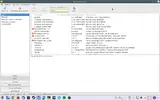
Lo spazio va ad occuparti, però è minimo, se vedi nello screenshot sono pochi B. Lo snapshot su btrfs è che ti fa una copia dell'intero sistema su un'altro subvol, quindi, sinceramente non so se vuoi copiare solo la partizione di root, però siccome lo spazio richiesto è minimo, il problema non si pone.
In teoria e in pratica, puoi fare anche cosi:
fare ogni subvol per ogni D.E:, e scegliere di avviare il subvol in base alle tue esigenze modificando il comando sul grub: subvol=kde, subvol=gnome, subvol=root etc... Cioè ha una flessibilità BTRFS e vantaggi enormi.
L'ho tradotto con google:
Uno snapshot è semplicemente un sottovolume che condivide i suoi dati (metadati) e con qualche altro sottovolume, utilizzando le funzionalità di mucca btrfs.Una volta che un [scrivibile] snapshot è fatto, non vi è alcuna differenza di status tra il sottovolume originale, e il nuovo sottovolume snapshot. Per eseguire il rollback a uno snapshot, smontare il volume secondario originale modificata, utilizzare mv per rinominare il vecchio volume secondario in una posizione temporanea, e poi di nuovo per rinominare l'istantanea al nome originale. È quindi possibile rimontare il sottovolume.
A questo punto, il volume secondario originale può essere eliminato se desiderato. Dal momento che una fotografia è un sottovolume, istantanee di istantanee sono inoltre possibili.
[h=3]Managing Snapshots[/h]One typical structure for managing snapshots (particularly on a system's "main" filesystem) is based on the to flat schema from above. The top-level subvolume is mostly left empty except for subvolumes. It can be mounted temporarily while subvolume operations are being done and unmounted again afterwards. Alternatively an empty "snapshot" subvolume can be created (which in turn contains the actual snapshots) and permanently mounted at a convenient.
The actual structure could look like this:
toplevel
+-- root (subvolume, to be mounted at /)
+-- home (subvolume, to be mounted at /home)
\-- snapshots (directory)
+-- root (directory)
+-- 2015-01-01 (subvolume, ro-snapshot of subvolume "root")
+-- 2015-06-01 (subvolume, ro-snapshot of subvolume "root")
\-- home (directory)
\-- 2015-01-01 (subvolume, ro-snapshot of subvolume "home")
\-- 2015-12-01 (subvolume, rw-snapshot of subvolume "home")
or even flatter, like this:
toplevel
+-- root (subvolume, to be mounted at /)
| +-- bin (directory)
| +-- usr (directory)
+-- root_snapshot_2015-01-01 (subvolume, ro-snapshot of subvolume "root")
| +-- bin (directory)
| +-- usr (directory)
+-- root_snapshot_2015-06-01 (subvolume, ro-snapshot of subvolume "root")
| +-- bin (directory)
| +-- usr (directory)
+-- home (subvolume, to be mounted at /home)
+-- home_snapshot_2015-01-01 (subvolume, ro-snapshot of subvolume "home")
+-- home_snapshot_2015-12-01 (subvolume, rw-snapshot of subvolume "home")
A corresponding fstab could look like this:
LABEL=the-btrfs-fs-device / subvol=/root,defaults,noatime 0 0
LABEL=the-btrfs-fs-device /home subvol=/home,defaults,noatime 0 0
LABEL=the-btrfs-fs-device /root/btrfs-top-lvl subvol=/,defaults,noauto,noatime 0 0
Creating a ro-snapshot would work for example like this:
# mount /root/btrfs-top-lvl
# btrfs subvolume snapshot /root/btrfs-top-lvl/home /root/btrfs-top-lvl/snapshots/home/2015-12-01
# umount /root/btrfs-top-lvl
Rolling back a snapshot would work for example like this:
# mount /root/btrfs-top-lvl
# umount /home
now either the snapshot could be directly mounted at /home (which would be temporary, unless fstab is adatped as well):
# mount -o subvol=/snapshots/home/2015-12-01,defaults,noatime LABEL=the-btrfs-fs-device /home
or the subvolume itself could be moved and then mounted again
# mv /root/btrfs-top-lvl/home /root/btrfs-top-lvl/home.tmp #or it could have been deleted see below
# mv /root/btrfs-top-lvl/snapshots/home/2015-12-01 /root/btrfs-top-lvl/home
# mount /home
finally, the top-level subvolume could be unmounted:
# umount /root/btrfs-top-lvl
The careful reader may have noticed, that for the rollback, a rw-snapshot was used, which is in the above example of course necessary, as a read-only /home wouldn't be desired. If a ro-snapshot would have been created (with -r), then one would have simply made another snapshot of that, this time of course rw, for example:
…
# btrfs subvolume delete /root/btrfs-top-lvl/home
# btrfs subvolume snapshot /root/btrfs-top-lvl/snapshots/home/2015-01-01 /root/btrfs-top-lvl/home …