DOMANDA Aggiornare Manjaro Linux!

Pubblicità
Prima @alex87alex ti ha incollato l' esempio con il giusto UUID.
Cancella la riga UUID=2064c4d6-5938-486a-9538-3ba102e96a14 swap swap defaults,noatime 0 0
e al suo posto incolli
UUID=6fc3806f-1ef4-4f41-b5b1-cdf041192eb3 swap swap defaults,noatime 0 0

Salvi, esci e riavvii.
 
Prima @alex87alex ti ha incollato l' esempio con il giusto UUID.
Cancella la riga UUID=2064c4d6-5938-486a-9538-3ba102e96a14 swap swap defaults,noatime 0 0
e al suo posto incolli
UUID=6fc3806f-1ef4-4f41-b5b1-cdf041192eb3 swap swap defaults,noatime 0 0

Salvi, esci e riavvii.

Bene, ho salvato e poi fatto reboot, il problema non si è ripresentato (ho fatto alcuni riavvii e spegnimenti per esserne sicuro.. tutto ok).Tuttavia all' inizio ci sta un po' nel caricamento per la roba del messaggio di ERROR: resume: hibernation device 'UUID=2064c4d6-5938-486a-9538-3ba102e96a14' not found.
 
Fatto ma fallisce nell' aprirlo:

[manjaro@manjaro-pc ~]$ sudo mkinitcpio -p linux
/usr/bin/mkinitcpio: line 271: /etc/mkinitcpio.d/linux.preset: No such file or directory
==> ERROR: Failed to load preset: `/etc/mkinitcpio.d/linux.preset'

mkinitcpio è installato di default, insieme a mkinitcpio-busybox e mkinitcpio-openswap
 
posta qui:
ls /etc/mkinitcpio.d

[manjaro-pc manjaro]# ls /etc/mkinitcpio.d
linux49.preset
[manjaro-pc manjaro]#

Dopo mi sono agganciato a questo risultato analogo: https://forum.manjaro.org/t/running-mkinitcpio-gives-me-this/25827/2 ed ho digitato: sudo mkinitcpio -p linux49

[manjaro-pc manjaro]# ls /etc/mkinitcpio.d
linux49.preset
[manjaro-pc manjaro]# sudo mkinitcpio -p linux49
==> Building image from preset: /etc/mkinitcpio.d/linux49.preset: 'default'
-> -k /boot/vmlinuz-4.9-x86_64 -c /etc/mkinitcpio.conf -g /boot/initramfs-4.9-x86_64.img
==> Starting build: 4.9.40-1-MANJARO
-> Running build hook: [base]
-> Running build hook: [udev]
-> Running build hook: [autodetect]
-> Running build hook: [modconf]
-> Running build hook: [block]
-> Running build hook: [keyboard]
-> Running build hook: [keymap]
-> Running build hook: [resume]
-> Running build hook: [filesystems]
-> Running build hook: [fsck]
==> Generating module dependencies
==> Creating gzip-compressed initcpio image: /boot/initramfs-4.9-x86_64.img
==> Image generation successful
==> Building image from preset: /etc/mkinitcpio.d/linux49.preset: 'fallback'
-> -k /boot/vmlinuz-4.9-x86_64 -c /etc/mkinitcpio.conf -g /boot/initramfs-4.9-x86_64-fallback.img -S autodetect
==> Starting build: 4.9.40-1-MANJARO
-> Running build hook: [base]
-> Running build hook: [udev]
-> Running build hook: [modconf]
-> Running build hook: [block]
-> Running build hook: [keyboard]
-> Running build hook: [keymap]
-> Running build hook: [resume]
-> Running build hook: [filesystems]
-> Running build hook: [fsck]
==> Generating module dependencies
==> Creating gzip-compressed initcpio image: /boot/initramfs-4.9-x86_64-fallback.img
==> Image generation successful
[manjaro-pc manjaro]#
[manjaro-pc manjaro]#
 
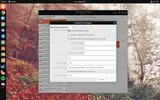
L'UIID lo puoi cambiare anche dal tool dischi (gnome-disk), tutto da GUi in modo semplice, vai sulla swap -> opzione di montaggio, e metti L'UUID giusto. Puoi cambiare da li anche le opzioni di mount.
Schermata del 2017-08-14 23-28-52.webp
 
Ok, questo è quello che ho combinato seguendo la guida:

[manjaro@manjaro-pc ~]$ su
Password:
[manjaro-pc manjaro]# fdisk -l
Disk /dev/sda: 120 GiB, 128849018880 bytes, 251658240 sectors
Units: sectors of 1 * 512 = 512 bytes
Sector size (logical/physical): 512 bytes / 512 bytes
I/O size (minimum/optimal): 512 bytes / 512 bytes
Disklabel type: dos
Disk identifier: 0x82b52809

Device Boot Start End Sectors Size Id Type
/dev/sda1 2049 243269631 243267583 116G 83 Linux
/dev/sda2 243269632 251658239 8388608 4G 82 Linux swap / Solaris


[manjaro-pc manjaro]# grub-mkconfig -o /boot/grub/grub.cfg
Generating grub configuration file ...
Found background: /usr/share/grub/background.png
Found Intel Microcode image
Found linux image: /boot/vmlinuz-4.9-x86_64
Found initrd image: /boot/initramfs-4.9-x86_64.img
Found initrd fallback image: /boot/initramfs-4.9-x86_64-fallback.img
Found memtest86+ image: /boot/memtest86+/memtest.bin
done
[manjaro-pc manjaro]#

Mi sembra di aver capito che bisogna aprire il file di grub e modificarlo così, giusto?

Da così:

GRUB_CMDLINE_LINUX_DEFAULT="quiet resume=UUID=2064c4d6-5938-486a-9538-3ba102e96$ (quello che c'è nel file di grub postato anche nei messaggi precedenti)

A così:

GRUB_CMDLINE_LINUX_DEFAULT="resume=/dev/mapper/ManjaroVG-ManjaroSwap (esempio originale del thread)
GRUB_CMDLINE_LINUX_DEFAULT="resume=/dev/mapper/manjaro-pc-ManjaroSwap (nel mio caso ho un altro nome utente)

Spero. E poi rilanciare il comando root: grub-mkconfig -o /boot/grub/grub.cfg
 
Non capisco perché hai aggiunto quelle opzioni al boot, quando, cambiare l'UUID è banale da gnome disk.
 
Credevo fosse risolto. :P
@Warmuser posta il file /etc/default/grub, puoi usare nano oppure cat... uguale.

Ecco qua:

GRUB_DEFAULT=saved
GRUB_TIMEOUT=5
GRUB_DISTRIBUTOR='Manjaro'
GRUB_CMDLINE_LINUX_DEFAULT="quiet resume=UUID=2064c4d6-5938-486a-9538-3ba102e96a14"
GRUB_CMDLINE_LINUX=""

# If you want to enable the save default function, uncomment the following
# line, and set GRUB_DEFAULT to saved.
GRUB_SAVEDEFAULT=true

# Preload both GPT and MBR modules so that they are not missed
GRUB_PRELOAD_MODULES="part_gpt part_msdos"

# Uncomment to enable Hidden Menu, and optionally hide the timeout count
#GRUB_HIDDEN_TIMEOUT=5
#GRUB_HIDDEN_TIMEOUT_QUIET=true

# Uncomment to use basic console
GRUB_TERMINAL_INPUT=console

# Uncomment to disable graphical terminal
#GRUB_TERMINAL_OUTPUT=console

# The resolution used on graphical terminal
# note that you can use only modes which your graphic card supports via VBE
# you can see them in real GRUB with the command `vbeinfo'
GRUB_GFXMODE=auto

# Uncomment to allow the kernel use the same resolution used by grub
GRUB_GFXPAYLOAD_LINUX=keep

# Uncomment if you want GRUB to pass to the Linux kernel the old parameter
# format "root=/dev/xxx" instead of "root=/dev/disk/by-uuid/xxx"
#GRUB_DISABLE_LINUX_UUID=true

# Uncomment to disable generation of recovery mode menu entries
GRUB_DISABLE_RECOVERY=true

# Uncomment and set to the desired menu colors. Used by normal and wallpaper
# modes only. Entries specified as foreground/background.
GRUB_COLOR_NORMAL="light-gray/black"
GRUB_COLOR_HIGHLIGHT="green/black"

# Uncomment one of them for the gfx desired, a image background or a gfxtheme
GRUB_BACKGROUND="/usr/share/grub/background.png"
#GRUB_THEME="/path/to/gfxtheme"

# Uncomment to get a beep at GRUB start

@lele.deb la questione ha preso una piega stramba. :P

Volevo fare le cose da terminale e poi avevo il timore che non avendo bene in mente cosa settare, avrei sbagliato da gui. Allora preferisco risolverla come l' ho cominciata. :)
 
Pubblicità
Pubblicità
Indietro
Top