PROBLEMA Zorin os

Pubblicità
Quel notebook supporta queste schede:
Atheros 9485GN 802.11b/g/n 1×1 WiFi and 3012 Bluetooth 4.0 Combo Adapter
Atheros WB225 802.11b/g/n 1×1 Bluetooth Combo Adapter
Broadcom 4313GN 802.11b/g/n 1×1 WiFi and 20702 Bluetooth 4.0 Combo Adapter
Intel Centrino Advanced-N 6230 WLAN module
Ralink RT5390R 802.11b/g/n 1×1 WiFi Adapter
Ralink RT3290LE 802.11b/g/n 1×1 WiFi and Bluetooth 4.0 Combo Adapter

Teoricamente dovrebbe avere preinstallato la Ralink

Ma hai provato a collegarlo via LAN e dare i seguenti comandi?
Codice:
sudo apt update
sudo apt dist-upgrade
IN LAN FUNZIONA
COME PRENDO II ATTTI
 
come prendo i???
Non scrivere in capslock, perchè equivale ad urlare su un forum ^^
 
Prova a vedere che tipo di scheda Wi-Fi è, con il comando lspci e cerca i driver relativi.

dimmi tu

admin78@HP-ENVY-dv6-Notebook-PC:~$ nmcli d
DEVICE TYPE STATE CONNECTION
eno1 ethernet collegato Connessione via cavo 1
wlo1 wifi non disponibile --
lo loopback non gestito --
admin78@HP-ENVY-dv6-Notebook-PC:~$ ifconfig
eno1: flags=4163<UP,BROADCAST,RUNNING,MULTICAST> mtu 1500
inet 192.168.178.20 netmask 255.255.255.0 broadcast 192.168.178.255
inet6 fe80::ab15:de39:c6a:cb prefixlen 64 scopeid 0x20<link>
ether a0:b3:cc:4f:81:c5 txqueuelen 1000 (Ethernet)
RX packets 7522 bytes 3371999 (3.3 MB)
RX errors 0 dropped 4 overruns 0 frame 0
TX packets 5274 bytes 1004605 (1.0 MB)
TX errors 0 dropped 0 overruns 0 carrier 0 collisions 0

lo: flags=73<UP,LOOPBACK,RUNNING> mtu 65536
inet 127.0.0.1 netmask 255.0.0.0
inet6 ::1 prefixlen 128 scopeid 0x10<host>
loop txqueuelen 1000 (Loopback locale)
RX packets 552 bytes 54911 (54.9 KB)
RX errors 0 dropped 0 overruns 0 frame 0
TX packets 552 bytes 54911 (54.9 KB)
TX errors 0 dropped 0 overruns 0 carrier 0 collisions 0

admin78@HP-ENVY-dv6-Notebook-PC:~$ lspci
00:00.0 Host bridge: Intel Corporation 3rd Gen Core processor DRAM Controller (rev 09)
00:01.0 PCI bridge: Intel Corporation Xeon E3-1200 v2/3rd Gen Core processor PCI Express Root Port (rev 09)
00:02.0 VGA compatible controller: Intel Corporation 3rd Gen Core processor Graphics Controller (rev 09)
00:14.0 USB controller: Intel Corporation 7 Series/C210 Series Chipset Family USB xHCI Host Controller (rev 04)
00:16.0 Communication controller: Intel Corporation 7 Series/C216 Chipset Family MEI Controller #1 (rev 04)
00:1a.0 USB controller: Intel Corporation 7 Series/C216 Chipset Family USB Enhanced Host Controller #2 (rev 04)
00:1b.0 Audio device: Intel Corporation 7 Series/C216 Chipset Family High Definition Audio Controller (rev 04)
00:1c.0 PCI bridge: Intel Corporation 7 Series/C216 Chipset Family PCI Express Root Port 1 (rev c4)
00:1c.2 PCI bridge: Intel Corporation 7 Series/C210 Series Chipset Family PCI Express Root Port 3 (rev c4)
00:1c.3 PCI bridge: Intel Corporation 7 Series/C216 Chipset Family PCI Express Root Port 4 (rev c4)
00:1c.5 PCI bridge: Intel Corporation 7 Series/C210 Series Chipset Family PCI Express Root Port 6 (rev c4)
00:1d.0 USB controller: Intel Corporation 7 Series/C216 Chipset Family USB Enhanced Host Controller #1 (rev 04)
00:1f.0 ISA bridge: Intel Corporation HM77 Express Chipset LPC Controller (rev 04)
00:1f.2 RAID bus controller: Intel Corporation 82801 Mobile SATA Controller [RAID mode] (rev 04)
00:1f.3 SMBus: Intel Corporation 7 Series/C216 Chipset Family SMBus Controller (rev 04)
01:00.0 VGA compatible controller: NVIDIA Corporation GF108M [GeForce GT 635M] (rev a1)
01:00.1 Audio device: NVIDIA Corporation GF108 High Definition Audio Controller (rev a1)
08:00.0 Unassigned class [ff00]: Realtek Semiconductor Co., Ltd. RTS5229 PCI Express Card Reader (rev 01)
0a:00.0 Network controller: Ralink corp. RT3290 Wireless 802.11n 1T/1R PCIe
0a:00.1 Bluetooth: Ralink corp. RT3290 Bluetooth
0b:00.0 Ethernet controller: Realtek Semiconductor Co., Ltd. RTL8111/8168/8411 PCI Express Gigabit Ethernet Controller (rev 07)
admin78@HP-ENVY-dv6-Notebook-PC:~$
 
ok hai su

08:00.0 Unassigned class [ff00]: Realtek Semiconductor Co., Ltd. RTS5229 PCI Express Card Reader (rev 01)
0a:00.0 Network controller: Ralink corp. RT3290 Wireless 802.11n 1T/1R PCIe
 
Scarica hardinfo dal software center o dal terminale: sudo apt install hardinfo
E fai uno screen o scrivi il modello del wifi.
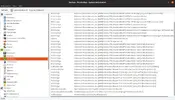
Si trova qui (PCI devices): Visualizza allegato 343834
-PCI Devices-
Host bridge : Intel Corporation 3rd Gen Core processor DRAM Controller (rev 09)
PCI bridge : Intel Corporation Xeon E3-1200 v2/3rd Gen Core processor PCI Express Root Port (rev 09) (prog-if 00 [Normal decode])
VGA compatible controller : Intel Corporation 3rd Gen Core processor Graphics Controller (rev 09) (prog-if 00 [VGA controller])
USB controller : Intel Corporation 7 Series/C210 Series Chipset Family USB xHCI Host Controller (rev 04) (prog-if 30 [XHCI])
Communication controller : Intel Corporation 7 Series/C216 Chipset Family MEI Controller #1 (rev 04)
USB controller : Intel Corporation 7 Series/C216 Chipset Family USB Enhanced Host Controller #2 (rev 04) (prog-if 20 [EHCI])
Audio device : Intel Corporation 7 Series/C216 Chipset Family High Definition Audio Controller (rev 04)
PCI bridge : Intel Corporation 7 Series/C216 Chipset Family PCI Express Root Port 1 (rev c4) (prog-if 00 [Normal decode])
PCI bridge : Intel Corporation 7 Series/C210 Series Chipset Family PCI Express Root Port 3 (rev c4) (prog-if 00 [Normal decode])
PCI bridge : Intel Corporation 7 Series/C216 Chipset Family PCI Express Root Port 4 (rev c4) (prog-if 00 [Normal decode])
PCI bridge : Intel Corporation 7 Series/C210 Series Chipset Family PCI Express Root Port 6 (rev c4) (prog-if 00 [Normal decode])
USB controller : Intel Corporation 7 Series/C216 Chipset Family USB Enhanced Host Controller #1 (rev 04) (prog-if 20 [EHCI])
ISA bridge : Intel Corporation HM77 Express Chipset LPC Controller (rev 04)
RAID bus controller : Intel Corporation 82801 Mobile SATA Controller [RAID mode] (rev 04)
SMBus : Intel Corporation 7 Series/C216 Chipset Family SMBus Controller (rev 04)
VGA compatible controller : NVIDIA Corporation GF108M [GeForce GT 635M] (rev a1) (prog-if 00 [VGA controller])
Audio device : NVIDIA Corporation GF108 High Definition Audio Controller (rev a1)
--- i due messaggi sono stati uniti ---
ok hai su

08:00.0 Unassigned class [ff00]: Realtek Semiconductor Co., Ltd. RTS5229 PCI Express Card Reader (rev 01)
0a:00.0 Network controller: Ralink corp. RT3290 Wireless 802.11n 1T/1R PCIe
cosa fre
 
-PCI Devices-
Host bridge : Intel Corporation 3rd Gen Core processor DRAM Controller (rev 09)
PCI bridge : Intel Corporation Xeon E3-1200 v2/3rd Gen Core processor PCI Express Root Port (rev 09) (prog-if 00 [Normal decode])
VGA compatible controller : Intel Corporation 3rd Gen Core processor Graphics Controller (rev 09) (prog-if 00 [VGA controller])
USB controller : Intel Corporation 7 Series/C210 Series Chipset Family USB xHCI Host Controller (rev 04) (prog-if 30 [XHCI])
Communication controller : Intel Corporation 7 Series/C216 Chipset Family MEI Controller #1 (rev 04)
USB controller : Intel Corporation 7 Series/C216 Chipset Family USB Enhanced Host Controller #2 (rev 04) (prog-if 20 [EHCI])
Audio device : Intel Corporation 7 Series/C216 Chipset Family High Definition Audio Controller (rev 04)
PCI bridge : Intel Corporation 7 Series/C216 Chipset Family PCI Express Root Port 1 (rev c4) (prog-if 00 [Normal decode])
PCI bridge : Intel Corporation 7 Series/C210 Series Chipset Family PCI Express Root Port 3 (rev c4) (prog-if 00 [Normal decode])
PCI bridge : Intel Corporation 7 Series/C216 Chipset Family PCI Express Root Port 4 (rev c4) (prog-if 00 [Normal decode])
PCI bridge : Intel Corporation 7 Series/C210 Series Chipset Family PCI Express Root Port 6 (rev c4) (prog-if 00 [Normal decode])
USB controller : Intel Corporation 7 Series/C216 Chipset Family USB Enhanced Host Controller #1 (rev 04) (prog-if 20 [EHCI])
ISA bridge : Intel Corporation HM77 Express Chipset LPC Controller (rev 04)
RAID bus controller : Intel Corporation 82801 Mobile SATA Controller [RAID mode] (rev 04)
SMBus : Intel Corporation 7 Series/C216 Chipset Family SMBus Controller (rev 04)
VGA compatible controller : NVIDIA Corporation GF108M [GeForce GT 635M] (rev a1) (prog-if 00 [VGA controller])
Audio device : NVIDIA Corporation GF108 High Definition Audio Controller (rev a1)
--- i due messaggi sono stati uniti ---

cosa fre
Apri il terminale e digita:

Codice:
sudo add-apt-repository ppa:blaze/rtbth-dkms

Dai Ok, dovrebbe aggiornare i repository, poi installi il driver:
Codice:
sudo apt install rtbth-dkms

Al riavvio dovresti avere il WIFI funzionante.

Link del PPA: https://launchpad.net/~blaze/+archive/ubuntu/rtbth-dkms

Link del progetto: https://github.com/loimu/rtbth-dkms
 
Apri il terminale e digita:

Codice:
sudo add-apt-repository ppa:blaze/rtbth-dkms

Dai Ok, dovrebbe aggiornare i repository, poi installi il driver:
Codice:
sudo apt install rtbth-dkms

Al riavvio dovresti avere il WIFI funzionante.

Link del PPA: https://launchpad.net/~blaze/+archive/ubuntu/rtbth-dkms

Link del progetto: https://github.com/loimu/rtbth-dkms
sudo apt install rtbth-dkms
E: dpkg è stato interrotto. È necessario eseguire "sudo dpkg --configure -a" per correggere il problema.
 
sudo apt install rtbth-dkms
E: dpkg è stato interrotto. È necessario eseguire "sudo dpkg --configure -a" per correggere il problema.

Questo succede di solito quando ci sono dei problemi con gli aggiornamenti..dai il comando che ti ha detto ubuntu e poi prova come ti è stato detto più in alto
 
Apri il terminale e digita:

Codice:
sudo add-apt-repository ppa:blaze/rtbth-dkms

Dai Ok, dovrebbe aggiornare i repository, poi installi il driver:
Codice:
sudo apt install rtbth-dkms

Al riavvio dovresti avere il WIFI funzionante.

Link del PPA: https://launchpad.net/~blaze/+archive/ubuntu/rtbth-dkms

Link del progetto: https://github.com/loimu/rtbth-dkms
Ho effettuato tutta la procedura che tu mi hai descritto, è andato tutto bene ma, Mi è apparso la schermata del uefi Boot Security.
Ma io non ho impostato nessun Boot secure, Come posso toglierlo?
 
Dal BIOS togli il secure boot
Ma non posso
Se poteva quest'ora l'avrei fatto
--- i due messaggi sono stati uniti ---
Dal BIOS togli il secure boot
se riesco a togliere il Boot Security del bios poi che debbo fare
--- i due messaggi sono stati uniti ---
Apri il terminale e digita:

Codice:
sudo add-apt-repository ppa:blaze/rtbth-dkms

Dai Ok, dovrebbe aggiornare i repository, poi installi il driver:
Codice:
sudo apt install rtbth-dkms

Al riavvio dovresti avere il WIFI funzionante.

Link del PPA: https://launchpad.net/~blaze/+archive/ubuntu/rtbth-dkms

Link del progetto: https://github.com/loimu/rtbth-dkms
non funziona
 
Ultima modifica:
Pubblicità
Pubblicità
Indietro
Top