Solito problema blue screen

Pubblicità

Passho

Nuovo Utente
Messaggi
27
Reazioni
0
Punteggio
25
Salve a tutti!! purtroppo anche io sono incappato in questo problema con il mio computer e ci combatto ormai da un anno e adesso ho deciso di dire basta!!!
il mio computer ha un HD da 500 Gb, 2Gb di ram ddr2, scheda grafica ati x300 series montata da poco dato che la precedente (intel chipset express family G31\G33) integrata mi dava comunque problemi, sistema operativo attuale win 7 ultimate 32 bit (in precedenza anche win xp sp2,sp3), scheda madre ecs g31t-m7 v1.0. (spero la descrizione sia sufficiente XD)

il messaggio di errore di seven è questo:
Firma problema:
Nome evento problema: BlueScreen
Versione SO: 6.1.7600.2.0.0.256.1
ID impostazioni locali: 1040

Ulteriori informazioni sul problema:
BCCode: c5
BCP1: 00000004
BCP2: 00000002
BCP3: 00000000
BCP4: 8295377F
OS Version: 6_1_7600
Service Pack: 0_0
Product: 256_1

File che contribuiscono alla descrizione del problema:
C:\Windows\Minidump\111311-18314-01.dmp
C:\Users\Casa\AppData\Local\Temp\WER-31995-0.sysdata.xml

Leggere l'informativa sulla privacy online:
Windows 7 Privacy Statement - Microsoft Windows

Se l'informativa sulla privacy online non è disponibile, leggere quella offline:
C:\Windows\system32\it-IT\erofflps.txt

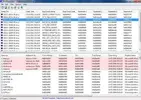
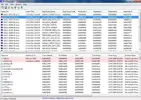
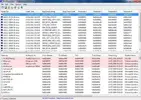
metto anche il file dmp di riferimento e screenshot di problemi rilevati con bluescreenview

MEGAUPLOAD - The leading online storage and file delivery service

vi imploro aiutatemi perchè non so davvero dove sbatterci la testa!! :(:inchino:
P.S. il problema si presenta solo al primo avvio di windows, spegnendo e riaccendendo il problema non si ripresenta, riavviandolo solamente si.
 

Allegati
  • 1.webp
    1.webp
    34.2 KB · Visualizzazioni: 111
  • 3.webp
    3.webp
    34.4 KB · Visualizzazioni: 72
  • 2.webp
    2.webp
    34 KB · Visualizzazioni: 87
Ultima modifica:
Guardando il minidump la prima cosa che proverei a fare è togliere l'AVG e vedere se si risolve.
Dice anche che dovresti verificare i driver con il driver verifier (Driver Verifier)

v. parti in grassetto

Codice:
*******************************************************************************
*                                                                             *
*                        Bugcheck Analysis                                    *
*                                                                             *
*******************************************************************************


Use !analyze -v to get detailed debugging information.


BugCheck C5, {4, 2, 0, 8295377f}


[B]*** WARNING: Unable to verify timestamp for AVGIDSFilter.Sys[/B]
[B]*** ERROR: Module load completed but symbols could not be loaded for AVGIDSFilter.Sys[/B]
[B]Probably caused by : Pool_Corruption ( nt!ExDeferredFreePool+18f )[/B]


Followup: Pool_corruption
---------


1: kd> !analyze -v
*******************************************************************************
*                                                                             *
*                        Bugcheck Analysis                                    *
*                                                                             *
*******************************************************************************


DRIVER_CORRUPTED_EXPOOL (c5)
An attempt was made to access a pageable (or completely invalid) address at an
interrupt request level (IRQL) that is too high.  This is
caused by drivers that have corrupted the system pool.  [B]Run the driver[/B]
[B]verifier against any new (or suspect) drivers, and if that doesn't turn up[/B]
[B]the culprit, then use gflags to enable special pool.[/B]
Arguments:
Arg1: 00000004, memory referenced
Arg2: 00000002, IRQL
Arg3: 00000000, value 0 = read operation, 1 = write operation
Arg4: 8295377f, address which referenced memory


Debugging Details:
------------------


BUGCHECK_STR:  0xC5_2


CURRENT_IRQL:  2


FAULTING_IP: 
nt!ExDeferredFreePool+18f
8295377f 397304          cmp     dword ptr [ebx+4],esi


CUSTOMER_CRASH_COUNT:  1


DEFAULT_BUCKET_ID:  VISTA_DRIVER_FAULT


PROCESS_NAME:  avgnsx.exe


TRAP_FRAME:  9af5488c -- (.trap 0xffffffff9af5488c)
ErrCode = 00000000
eax=863f97b0 ebx=00000000 ecx=000001ff edx=00000000 esi=863f97e0 edi=82968080
eip=8295377f esp=9af54900 ebp=9af54938 iopl=0         nv up ei ng nz ac po nc
cs=0008  ss=0010  ds=0023  es=0023  fs=0030  gs=0000             efl=00010292
nt!ExDeferredFreePool+0x18f:
8295377f 397304          cmp     dword ptr [ebx+4],esi ds:0023:00000004=????????
Resetting default scope


LAST_CONTROL_TRANSFER:  from 8295377f to 82873b5b


STACK_TEXT:  
9af5488c 8295377f badb0d00 00000000 00000001 nt!KiTrap0E+0x2cf
9af54938 829532e5 82968080 863f97d8 863cbe28 nt!ExDeferredFreePool+0x18f
9af549a4 894d4bb1 860e6a78 00000000 13b3f374 nt!ExFreePoolWithTag+0x848
9af549e8 894d99a4 863cbe28 8ad833c8 00000000 Ntfs!NtOfsPostNewLength+0x1b2
9af54a00 894b1887 863cbe28 00000000 8581a0d8 Ntfs!NtfsProcessNewLengthQueue+0x26
9af54a28 894d5a07 013cbe28 aa01c008 aa01c0f8 Ntfs!NtfsCommitCurrentTransaction+0x13c
9af54a3c 894dcab4 863cbe28 13b3f04c 00000014 Ntfs!NtfsCheckpointCurrentTransaction+0x21
9af54ad0 894daefc 863cbe28 86500758 85644de0 Ntfs!NtfsSetEndOfFileInfo+0x72b
9af54b50 8944732b 863cbe28 85644de0 13b3f120 Ntfs!NtfsCommonSetInformation+0x78d
9af54bbc 82869f64 8581a020 85644de0 85644de0 Ntfs!NtfsFsdSetInformation+0x107
9af54bd4 8938e20c 85696590 85644de0 00000000 nt!IofCallDriver+0x63
9af54bf8 8938e3cb 9af54c18 85696590 00000000 fltmgr!FltpLegacyProcessingAfterPreCallbacksCompleted+0x2aa
9af54c30 82869f64 85696590 85644de0 85644de0 fltmgr!FltpDispatch+0xc5
9af54c48 9b0e0196 85644de0 86617458 00000014 nt!IofCallDriver+0x63
WARNING: Stack unwind information not available. Following frames may be wrong.
9af54c64 82869f64 86617458 85644de0 85644fdc AVGIDSFilter+0x2196
9af54c7c 82a73039 bf411f64 000004f4 0102f8f0 nt!IofCallDriver+0x63
9af54d18 8287077a 000004f4 0102f90c 0102f8fc nt!NtSetInformationFile+0xa3f
9af54d18 77656344 000004f4 0102f90c 0102f8fc nt!KiFastCallEntry+0x12a
0102f904 00000000 00000000 00000000 00000000 0x77656344


STACK_COMMAND:  kb


FOLLOWUP_IP: 
nt!ExDeferredFreePool+18f
8295377f 397304          cmp     dword ptr [ebx+4],esi


SYMBOL_STACK_INDEX:  1


SYMBOL_NAME:  nt!ExDeferredFreePool+18f


FOLLOWUP_NAME:  Pool_corruption


IMAGE_NAME:  Pool_Corruption


DEBUG_FLR_IMAGE_TIMESTAMP:  0


MODULE_NAME: Pool_Corruption


FAILURE_BUCKET_ID:  0xC5_2_nt!ExDeferredFreePool+18f


BUCKET_ID:  0xC5_2_nt!ExDeferredFreePool+18f


Followup: Pool_corruption
 
ti ringrazio ma non penso che sia solo avg il problema perchè avevo anche avira prima e cadeva comunque in errore...

comunque posto l'errore che mi è appena uscito in una blue screen

STOP: 0X0000008E (0XC000000C5, 0X8286B3C5, 0X93EA2A08, 0X00000000)

qualcuno riesce ad identificare a cosa corrisponde?? su internet non c'è nulla :(
 
Hai verificato i driver come indicato con Driver Verifier?
Quell'errore fa pensare, a google, sempre ai driver di qualcosa (come ti ho scritto sopra ***, AVG a parte)
Resolution

  1. Restart your computer if you haven't already done so. The STOP 0x0000008E blue screen error might be a fluke.
  2. Did you just install new hardware or make a change to some hardware or a hardware driver? If so, there's a very good chance that the change you made caused the STOP 0x0000008E error.


*** Run the driver verifier against any new (or suspect) drivers, and if that doesn't turn up the culprit, then use gflags to enable special pool.

Qui ci sono ulteriori notizie: http://pcsupport.about.com/b/2009/02/13/stop-0x0000008e-blue-screen-errors-0x8e.htm
provato un test della RAM?
 
Ultima modifica:
Hai verificato i driver come indicato con Driver Verifier?
Quell'errore fa pensare, a google, sempre ai driver di qualcosa (come ti ho scritto sopra ***, AVG a parte)


*** Run the driver verifier against any new (or suspect) drivers, and if that doesn't turn up the culprit, then use gflags to enable special pool.

Qui ci sono ulteriori notizie: STOP 0x0000008E Blue Screen Errors
provato un test della RAM?

fatto test della ram con memtest86+ dopo 2 ore e mezzo nessun errore ed era al 100% poi ha ricominciato e ho chiuso...

fatto un giro sul verifier e selezionando il controllo di tutte le periferiche sul computer mi da tutto caricato e nelle schermate successive i vari campi che si aggiornano...

io penso che sia la ram... (team group inc. 2048 Mb ddr2-400 con frequenza sull'etichetta di 800 MHz se non erro...)
 
Non penso sia la RAM se è riuscita a passare memtest...
Io, su 4 portatili identici (ma solo 4 su 15), ho avuto sto problema dello stop 8E da un giorno all'altro (stavano su XP Pro SP3). Alla fine dopo test e test, dato che comunque avevo iniziatoa migrare le macchine a W7, le ho passate a W7 ed il problema se n'è andato. Era la scheda video (ATI), ma sotto XP anche con i driver aggiornati non ne voleva sapere di andare decentemente.
 
Pubblicità
Pubblicità
Indietro
Top