PROBLEMA 0x0A IRQL_NOT_LESS_OR_EQUAL

Pubblicità

ReNext

Nuovo Utente
Messaggi
112
Reazioni
13
Punteggio
38
Sono già due volte in 30 minuti che mi si presenta il bsod 0x0A con l'errore IRQL_NOT_LESS_OR_EQUAL.
Da un po' ho overclockato la mia CPU (Un i5-3570K) a 4.4Ghz con un vcore inizialmente di 1.220, ma dopo il proimo crash ho provato ad aumentarlo a 1.225, e dopo il secondo a 1.230.

Il crash si manifestava durante una sessione del gioco Terraria, dopo una decina di minuti. Il problema è che nei scorsi giorni giocavo senza problemi.

Ora che è a 1.230v non è ancora crashato, ma non ho ancora testato perché non sto giocando con il gioco in questione.

Chiedo a voi da cosa possa dipendere, e come si possa risolvere :) Grazie!
 
Sono già due volte in 30 minuti che mi si presenta il bsod 0x0A con l'errore IRQL_NOT_LESS_OR_EQUAL.
Da un po' ho overclockato la mia CPU (Un i5-3570K) a 4.4Ghz con un vcore inizialmente di 1.220, ma dopo il proimo crash ho provato ad aumentarlo a 1.225, e dopo il secondo a 1.230.

Il crash si manifestava durante una sessione del gioco Terraria, dopo una decina di minuti. Il problema è che nei scorsi giorni giocavo senza problemi.

Ora che è a 1.230v non è ancora crashato, ma non ho ancora testato perché non sto giocando con il gioco in questione.

Chiedo a voi da cosa possa dipendere, e come si possa risolvere :) Grazie!
E' meglio se scarichi Whocrashed e incolli qui il report della lettura dei file di dmp, comunque sembra un errore dovuto al paging..
 
E' meglio se scarichi Whocrashed e incolli qui il report della lettura dei file di dmp, comunque sembra un errore dovuto al paging..

Ho riscontrato appena adesso il bsod, ed ecco il risultato con Whocrashed:

[FONT=Segoe UI, Arial]On Sun 06/10/2013 15:05:13 GMT your computer crashed
crash dump file: C:\Windows\Minidump\100613-29016-01.dmp
This was probably caused by the following module: [FONT=Segoe UI, Arial]ntoskrnl.exe[/FONT] (nt+0x75B80)
Bugcheck code: 0xA (0x11A, 0x2, 0x0, 0xFFFFF80003AE17B9)
Error: [FONT=Segoe UI, Arial]IRQL_NOT_LESS_OR_EQUAL[/FONT]
file path: C:\Windows\system32\ntoskrnl.exe
product: [FONT=Segoe UI, Arial]Microsoft® Windows® Operating System[/FONT]
company: [FONT=Segoe UI, Arial]Microsoft Corporation[/FONT]
description: NT Kernel & System
Bug check description: This indicates that Microsoft Windows or a kernel-mode driver accessed paged memory at DISPATCH_LEVEL or above.
This appears to be a typical software driver bug and is not likely to be caused by a hardware problem.
The crash took place in the Windows kernel. Possibly this problem is caused by another driver that cannot be identified at this time.


[/FONT]
[FONT=Segoe UI, Arial]On Sun 06/10/2013 15:05:13 GMT your computer crashed
crash dump file: C:\Windows\memory.dmp
This was probably caused by the following module: [FONT=Segoe UI, Arial]ntkrnlmp.exe[/FONT] (nt!KeBugCheckEx+0x0)
Bugcheck code: 0xA (0x11A, 0x2, 0x0, 0xFFFFF80003AE17B9)
Error: [FONT=Segoe UI, Arial]IRQL_NOT_LESS_OR_EQUAL[/FONT]
Bug check description: This indicates that Microsoft Windows or a kernel-mode driver accessed paged memory at DISPATCH_LEVEL or above.
This appears to be a typical software driver bug and is not likely to be caused by a hardware problem.
The crash took place in the Windows kernel. Possibly this problem is caused by another driver that cannot be identified at this time.
[/FONT]
 
sembrano le ram testa con memetest per qualche ora

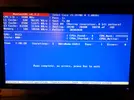
Avevo già testato tempo fa (settimane) quando avevo lo stesso identico problema, che stranamente per un mese non si è più presentato, per poi ritornare ora. Ecco il risultato, ci aveva messo più di un ora solo per un ciclo:

20130905_152349.webp
 
hai 16gb di ram quindi è diciamo normale... ma hai messo tutto @Default? tolto oc e tutto il resto?
 
Difficile capire se si tratta di un problema HW o di overclock eccessivo, rimetti TUTTO a default e poi facci sapere come va.
 
Pubblicità
Pubblicità
Indietro
Top