

Christian One
Utente Attivo
- Messaggi
- 436
- Reazioni
- 78
- Punteggio
- 39
Salve
Ho riscontrato un grave problema con il mio Win10 Installato nel secondo Notebook...
Quando tento di aggiornare questo programma... (di cui metterò una foto).

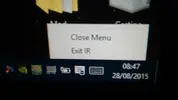
Va tutto bene fino a quando... non vado a terminare il servizio cliccando con il mouse il testo exit (screen).
Appena Cliccato Exit succede questo... (che credo equivalga alla vecchia schermata blu di Windows). (screen).

e rimane così bloccato fino a quando non riavvio il PC in modo "Brutale"... tenendo premuto il tasto di spegnimento... (che poi dato l' errore il PC ci mette molto piu tempo per riaccendersi...)
Le sto provando tutte ma non riesco a risolvere...
Qui ce il log
Le informazioni su come richiamare il debug JIT (Just-In-Time) anziché questa finestra
sono riportate in fondo al messaggio.
************** Testo dell'eccezione **************
System.TypeInitializationException: L'inizializzatore di tipo di 'TVServices.Core.SystemSettings' ha generato un'eccezione. —-> System.Xml.XmlException: Carattere non valido nella codifica specificata. Riga 1, posizione 1.
in System.Xml.XmlTextReaderImpl.Throw(Exception e)
in System.Xml.XmlTextReaderImpl.Throw(String res, String arg)
in System.Xml.XmlTextReaderImpl.Throw(Int32 pos, String res)
in System.Xml.XmlTextReaderImpl.InvalidCharRecovery(Int32& bytesCount, Int32& charsCount)
in System.Xml.XmlTextReaderImpl.GetChars(Int32 maxCharsCount)
in System.Xml.XmlTextReaderImpl.ReadData()
in System.Xml.XmlTextReaderImpl.SwitchEncoding(Encoding newEncoding)
in System.Xml.XmlTextReaderImpl.ParseXmlDeclaration(Boolean isTextDecl)
in System.Xml.XmlTextReaderImpl.Read()
in System.Xml.XmlLoader.Load(XmlDocument doc, XmlReader reader, Boolean preserveWhitespace)
in System.Xml.XmlDocument.Load(XmlReader reader)
in System.Xml.XmlDocument.Load(String filename)
in TVServices.Core.SystemSettings..ctor()
in TVServices.Core.SystemSettings..cctor()
—- Fine dell'analisi dello stack dell'eccezione interna —-
in TVServices.Core.SystemSettings.GetInstance()
in WinTVTray.x7581f2c12306486c.xafc99165268ea866(Object xcf252b85e001ce6a, EventArgs xd4ff4703d25cd2ab)
in System.Windows.Forms.Form.OnLoad(EventArgs e)
in System.Windows.Forms.Form.OnCreateControl()
in System.Windows.Forms.Control.CreateControl(Boolean fIgnoreVisible)
in System.Windows.Forms.Control.CreateControl()
in System.Windows.Forms.Control.WmShowWindow(Message& m)
in System.Windows.Forms.Control.WndProc(Message& m)
in System.Windows.Forms.ScrollableControl.WndProc(Message& m)
in System.Windows.Forms.ContainerControl.WndProc(Message& m)
in System.Windows.Forms.Form.WmShowWindow(Message& m)
in System.Windows.Forms.Form.WndProc(Message& m)
in System.Windows.Forms.Control.ControlNativeWindow.OnMessage(Message& m)
in System.Windows.Forms.Control.ControlNativeWindow.WndProc(Message& m)
in System.Windows.Forms.NativeWindow.Callback(IntPtr hWnd, Int32 msg, IntPtr wparam, IntPtr lparam)
Fine del Log
Grazie per chunque mi sia di aiuto ;)
Ho riscontrato un grave problema con il mio Win10 Installato nel secondo Notebook...
Quando tento di aggiornare questo programma... (di cui metterò una foto).
Va tutto bene fino a quando... non vado a terminare il servizio cliccando con il mouse il testo exit (screen).
Appena Cliccato Exit succede questo... (che credo equivalga alla vecchia schermata blu di Windows). (screen).
e rimane così bloccato fino a quando non riavvio il PC in modo "Brutale"... tenendo premuto il tasto di spegnimento... (che poi dato l' errore il PC ci mette molto piu tempo per riaccendersi...)
Le sto provando tutte ma non riesco a risolvere...
Qui ce il log
Le informazioni su come richiamare il debug JIT (Just-In-Time) anziché questa finestra
sono riportate in fondo al messaggio.
************** Testo dell'eccezione **************
System.TypeInitializationException: L'inizializzatore di tipo di 'TVServices.Core.SystemSettings' ha generato un'eccezione. —-> System.Xml.XmlException: Carattere non valido nella codifica specificata. Riga 1, posizione 1.
in System.Xml.XmlTextReaderImpl.Throw(Exception e)
in System.Xml.XmlTextReaderImpl.Throw(String res, String arg)
in System.Xml.XmlTextReaderImpl.Throw(Int32 pos, String res)
in System.Xml.XmlTextReaderImpl.InvalidCharRecovery(Int32& bytesCount, Int32& charsCount)
in System.Xml.XmlTextReaderImpl.GetChars(Int32 maxCharsCount)
in System.Xml.XmlTextReaderImpl.ReadData()
in System.Xml.XmlTextReaderImpl.SwitchEncoding(Encoding newEncoding)
in System.Xml.XmlTextReaderImpl.ParseXmlDeclaration(Boolean isTextDecl)
in System.Xml.XmlTextReaderImpl.Read()
in System.Xml.XmlLoader.Load(XmlDocument doc, XmlReader reader, Boolean preserveWhitespace)
in System.Xml.XmlDocument.Load(XmlReader reader)
in System.Xml.XmlDocument.Load(String filename)
in TVServices.Core.SystemSettings..ctor()
in TVServices.Core.SystemSettings..cctor()
—- Fine dell'analisi dello stack dell'eccezione interna —-
in TVServices.Core.SystemSettings.GetInstance()
in WinTVTray.x7581f2c12306486c.xafc99165268ea866(Object xcf252b85e001ce6a, EventArgs xd4ff4703d25cd2ab)
in System.Windows.Forms.Form.OnLoad(EventArgs e)
in System.Windows.Forms.Form.OnCreateControl()
in System.Windows.Forms.Control.CreateControl(Boolean fIgnoreVisible)
in System.Windows.Forms.Control.CreateControl()
in System.Windows.Forms.Control.WmShowWindow(Message& m)
in System.Windows.Forms.Control.WndProc(Message& m)
in System.Windows.Forms.ScrollableControl.WndProc(Message& m)
in System.Windows.Forms.ContainerControl.WndProc(Message& m)
in System.Windows.Forms.Form.WmShowWindow(Message& m)
in System.Windows.Forms.Form.WndProc(Message& m)
in System.Windows.Forms.Control.ControlNativeWindow.OnMessage(Message& m)
in System.Windows.Forms.Control.ControlNativeWindow.WndProc(Message& m)
in System.Windows.Forms.NativeWindow.Callback(IntPtr hWnd, Int32 msg, IntPtr wparam, IntPtr lparam)
Fine del Log
Grazie per chunque mi sia di aiuto ;)
Ultima modifica:

