PROBLEMA Virus nell'Ubuntu Software Center?

Pubblicità

akalapo

Nuovo Utente
Messaggi
140
Reazioni
12
Punteggio
44
Salve a tutti,

sono disperato. Ho riavviato il pc su cui ho installato Ubuntu 17.10 e al riavvio ho trovato un Desktop diverso, grafica molto più semplificata, sfondo diverso, sparita la barra laterale, il tasto Home non funzionante e tanto altro che non va. Ho riavviato nuovamente e addirittura ora lo sfondo è nero.

Prima di riavviare avevo:
1. aggiornato il software
2. installato un programma "tastiera e mouse" dal software center
3. installato un programma, mi pare si chiami Onoku o simile, che avevo trovato nella lista dei programmi digitando "mouse". Questo programma, che ha come incona l'immagine di un gatto, fa in modo che un piccolo gatto sullo schermo rincorra il cursore nel suo movimento.

Ho paura che il programma incriminato sia il numero 3. Che ne pensate? Cosa posso fare? I programmi nell'Ubuntu Software Center non dovrebbero essere sicuri? Le mie password salvate sul pc sono a rischio?
Aiutatemi per favore.
Grazie
 
Salve a tutti,

sono disperato. Ho riavviato il pc su cui ho installato Ubuntu 17.10 e al riavvio ho trovato un Desktop diverso, grafica molto più semplificata, sfondo diverso, sparita la barra laterale, il tasto Home non funzionante e tanto altro che non va. Ho riavviato nuovamente e addirittura ora lo sfondo è nero.

Prima di riavviare avevo:
1. aggiornato il software
2. installato un programma "tastiera e mouse" dal software center
3. installato un programma, mi pare si chiami Onoku o simile, che avevo trovato nella lista dei programmi digitando "mouse". Questo programma, che ha come incona l'immagine di un gatto, fa in modo che un piccolo gatto sullo schermo rincorra il cursore nel suo movimento.

Ho paura che il programma incriminato sia il numero 3. Che ne pensate? Cosa posso fare? I programmi nell'Ubuntu Software Center non dovrebbero essere sicuri? Le mie password salvate sul pc sono a rischio?
Aiutatemi per favore.
Grazie
Nel software center non esistono virus, tranne che aggiungi repository da siti non verificati. Non esiste un software nei repository e nemmeno cercando su internet dal nome "Onoku".
Puoi fare uno screen del desktop?
Comunque, cercando meglio si chiama "oneko" ed è ne irepo ufficiali, è un gioco, quindi niente virus, non è quello il problema.


apt show oneko

Package: oneko
Version: 1.2.sakura.6-13
Priority: optional
Section: universe/games
Origin: Ubuntu
Maintainer: Ubuntu Developers <ubuntu-devel-discuss@lists.ubuntu.com>
Original-Maintainer: Ricardo Mones <mones@debian.org>
Bugs: https://bugs.launchpad.net/ubuntu/+filebug
Installed-Size: 119 kB
Depends: libc6 (>= 2.4), libx11-6, libxext6, psmisc
Homepage: http://www.daidouji.com/oneko/
Download-Size: 38,4 kB
APT-Sources: http://archive.ubuntu.com/ubuntu bionic/universe amd64 Packages
Description: gatto che insegue il cursore (ora un topo) sullo schermo
Un gatto (neko) insegue il cursore (ora un topo) sullo schermo mentre si
lavora. In alternativa, un cane insegue un osso. Sono presenti opzioni del
menù per avviare o fermare facilmente il programma nelle modalità gatto e
cane. Altre varianti e configurazioni dettagliate sono disponibili
attraverso le opzioni a riga di comando.
 
Nel software center non esistono virus, tranne che aggiungi repository da siti non verificati. Non esiste un software nei repository e nemmeno cercando su internet dal nome "Onoku".
Puoi fare uno screen del desktop?
Comunque, cercando meglio si chiama "oneko" ed è ne irepo ufficiali, è un gioco, quindi niente virus, non è quello il problema.

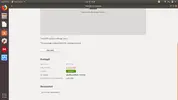
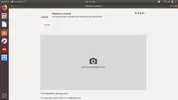
Credo di aver risolto il problema. Praticamente, il programma che ha creato problemi dovrebbe essere ""Tastiera e mouse", di cui ti allego gli screenshot. Installando questo programma mi ha installato anche il desktop lxqt che mi ha creato tutti questi problemi.
Sono riuscito ad eliminarlo con il comando "sudo apt-get remove lxqt", anche se all'avvio rimane la possibilità di sceglierlo nelle impostazioni.
che ne pensi?
Schermata da 2018-04-24 17-43-49.webp
Schermata da 2018-04-24 17-43-51.webp
 
Credo di aver risolto il problema. Praticamente, il programma che ha creato problemi dovrebbe essere ""Tastiera e mouse", di cui ti allego gli screenshot. Installando questo programma mi ha installato anche il desktop lxqt che mi ha creato tutti questi problemi.
Sono riuscito ad eliminarlo con il comando "sudo apt-get remove lxqt", anche se all'avvio rimane la possibilità di sceglierlo nelle impostazioni.
che ne pensi?
Visualizza allegato 289644
Visualizza allegato 289645
Certo, può essere, se vuoi ripulire lxqt e tutti i suoi componenti, usa synaptic, fai prima.
Oppure:
Codice:
sudo apt --purge autoremove lxqt*
"purge" rimuove le configurazioni, "autoremove" rimuove tutte le sue dipendenze.

Questo è synaptic, il gestore pacchetti di Debian e famiglia:
https://wiki.ubuntu-it.org/AmministrazioneSistema/InstallareProgrammi/GestorePacchetti
 
rimosso tutto!! grazie mille :D

ps. digitando

Codice:
cat /etc/apt/sources.list && ls /etc/apt/sources.list.d/

mi esce:

Codice:
#deb cdrom:[Ubuntu 17.10 _Artful Aardvark_ - Release amd64 (20180105.1)]/ artful main restricted

# See http://help.ubuntu.com/community/UpgradeNotes for how to upgrade to
# newer versions of the distribution.
deb http://it.archive.ubuntu.com/ubuntu/ artful main restricted
# deb-src http://it.archive.ubuntu.com/ubuntu/ artful main restricted

## Major bug fix updates produced after the final release of the
## distribution.
deb http://it.archive.ubuntu.com/ubuntu/ artful-updates main restricted
# deb-src http://it.archive.ubuntu.com/ubuntu/ artful-updates main restricted

## N.B. software from this repository is ENTIRELY UNSUPPORTED by the Ubuntu
## team. Also, please note that software in universe WILL NOT receive any
## review or updates from the Ubuntu security team.
deb http://it.archive.ubuntu.com/ubuntu/ artful universe
# deb-src http://it.archive.ubuntu.com/ubuntu/ artful universe
deb http://it.archive.ubuntu.com/ubuntu/ artful-updates universe
# deb-src http://it.archive.ubuntu.com/ubuntu/ artful-updates universe

## N.B. software from this repository is ENTIRELY UNSUPPORTED by the Ubuntu 
## team, and may not be under a free licence. Please satisfy yourself as to 
## your rights to use the software. Also, please note that software in 
## multiverse WILL NOT receive any review or updates from the Ubuntu
## security team.
deb http://it.archive.ubuntu.com/ubuntu/ artful multiverse
# deb-src http://it.archive.ubuntu.com/ubuntu/ artful multiverse
deb http://it.archive.ubuntu.com/ubuntu/ artful-updates multiverse
# deb-src http://it.archive.ubuntu.com/ubuntu/ artful-updates multiverse

## N.B. software from this repository may not have been tested as
## extensively as that contained in the main release, although it includes
## newer versions of some applications which may provide useful features.
## Also, please note that software in backports WILL NOT receive any review
## or updates from the Ubuntu security team.
deb http://it.archive.ubuntu.com/ubuntu/ artful-backports main restricted universe multiverse
# deb-src http://it.archive.ubuntu.com/ubuntu/ artful-backports main restricted universe multiverse

## Uncomment the following two lines to add software from Canonical's
## 'partner' repository.
## This software is not part of Ubuntu, but is offered by Canonical and the
## respective vendors as a service to Ubuntu users.
# deb http://archive.canonical.com/ubuntu artful partner
# deb-src http://archive.canonical.com/ubuntu artful partner

deb http://security.ubuntu.com/ubuntu artful-security main restricted
# deb-src http://security.ubuntu.com/ubuntu artful-security main restricted
deb http://security.ubuntu.com/ubuntu artful-security universe
# deb-src http://security.ubuntu.com/ubuntu artful-security universe
deb http://security.ubuntu.com/ubuntu artful-security multiverse
# deb-src http://security.ubuntu.com/ubuntu artful-security multiverse
megasync.list

Ti volevo chiedere: megasync.list, che sta in fondo, è relativo al software di www.mega.nz, il successore di megaupload, che ho sul computer, vero? :D Grazie
 
rimosso tutto!! grazie mille :D

ps. digitando

Codice:
cat /etc/apt/sources.list && ls /etc/apt/sources.list.d/

mi esce:

Codice:
#deb cdrom:[Ubuntu 17.10 _Artful Aardvark_ - Release amd64 (20180105.1)]/ artful main restricted

# See http://help.ubuntu.com/community/UpgradeNotes for how to upgrade to
# newer versions of the distribution.
deb http://it.archive.ubuntu.com/ubuntu/ artful main restricted
# deb-src http://it.archive.ubuntu.com/ubuntu/ artful main restricted

## Major bug fix updates produced after the final release of the
## distribution.
deb http://it.archive.ubuntu.com/ubuntu/ artful-updates main restricted
# deb-src http://it.archive.ubuntu.com/ubuntu/ artful-updates main restricted

## N.B. software from this repository is ENTIRELY UNSUPPORTED by the Ubuntu
## team. Also, please note that software in universe WILL NOT receive any
## review or updates from the Ubuntu security team.
deb http://it.archive.ubuntu.com/ubuntu/ artful universe
# deb-src http://it.archive.ubuntu.com/ubuntu/ artful universe
deb http://it.archive.ubuntu.com/ubuntu/ artful-updates universe
# deb-src http://it.archive.ubuntu.com/ubuntu/ artful-updates universe

## N.B. software from this repository is ENTIRELY UNSUPPORTED by the Ubuntu
## team, and may not be under a free licence. Please satisfy yourself as to
## your rights to use the software. Also, please note that software in
## multiverse WILL NOT receive any review or updates from the Ubuntu
## security team.
deb http://it.archive.ubuntu.com/ubuntu/ artful multiverse
# deb-src http://it.archive.ubuntu.com/ubuntu/ artful multiverse
deb http://it.archive.ubuntu.com/ubuntu/ artful-updates multiverse
# deb-src http://it.archive.ubuntu.com/ubuntu/ artful-updates multiverse

## N.B. software from this repository may not have been tested as
## extensively as that contained in the main release, although it includes
## newer versions of some applications which may provide useful features.
## Also, please note that software in backports WILL NOT receive any review
## or updates from the Ubuntu security team.
deb http://it.archive.ubuntu.com/ubuntu/ artful-backports main restricted universe multiverse
# deb-src http://it.archive.ubuntu.com/ubuntu/ artful-backports main restricted universe multiverse

## Uncomment the following two lines to add software from Canonical's
## 'partner' repository.
## This software is not part of Ubuntu, but is offered by Canonical and the
## respective vendors as a service to Ubuntu users.
# deb http://archive.canonical.com/ubuntu artful partner
# deb-src http://archive.canonical.com/ubuntu artful partner

deb http://security.ubuntu.com/ubuntu artful-security main restricted
# deb-src http://security.ubuntu.com/ubuntu artful-security main restricted
deb http://security.ubuntu.com/ubuntu artful-security universe
# deb-src http://security.ubuntu.com/ubuntu artful-security universe
deb http://security.ubuntu.com/ubuntu artful-security multiverse
# deb-src http://security.ubuntu.com/ubuntu artful-security multiverse
megasync.list

Ti volevo chiedere: megasync.list, che sta in fondo, è relativo al software di www.mega.nz, il successore di megaupload, che ho sul computer, vero? :D Grazie
Si
 
Pubblicità
Pubblicità
Indietro
Top