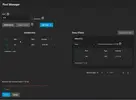
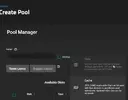
In realtà c'è modo di farlo, anche se devi conoscere abbastanza bene come funziona ZFS
Questo è un TrueNAS scale che ho da un cliente con 3 dischi, usati sia per il pool di root che per i dati
Codice:
root@truenas[~]# zpool status -L
  pool: boot-pool
 state: ONLINE
status: Some supported and requested features are not enabled on the pool.
        The pool can still be used, but some features are unavailable.
action: Enable all features using 'zpool upgrade'. Once this is done,
        the pool may no longer be accessible by software that does not support
        the features. See zpool-features(7) for details.
  scan: scrub repaired 0B in 00:01:36 with 0 errors on Tue Feb 28 03:46:37 2023
config:

        NAME        STATE     READ WRITE CKSUM
        boot-pool   ONLINE       0     0     0
          mirror-0  ONLINE       0     0     0
            sda3    ONLINE       0     0     0
            sdc3    ONLINE       0     0     0
            sdb3    ONLINE       0     0     0

errors: No known data errors

  pool: data-pool
 state: ONLINE
  scan: scrub repaired 0B in 02:50:57 with 0 errors on Sun Mar  5 02:51:00 2023
config:

        NAME        STATE     READ WRITE CKSUM
        data-pool   ONLINE       0     0     0
          raidz1-0  ONLINE       0     0     0
            sda5    ONLINE       0     0     0
            sdc5    ONLINE       0     0     0
            sdb5    ONLINE       0     0     0

errors: No known data errors
Il boot-pool è quello che crea l'installazione, è in MIRROR su tre dischi SDA/SDB/SDC nella partizione 3, poi invece ho creato il pool data-pool smpre sui 3 dischi SDA/SDB/SDC partizione 5
Questo per farti vedere come ho partizionato i dischi
Codice:
root@truenas[~]# gdisk -l /dev/sda
GPT fdisk (gdisk) version 1.0.6

Partition table scan:
  MBR: protective
  BSD: not present
  APM: not present
  GPT: present

Found valid GPT with protective MBR; using GPT.
Disk /dev/sda: 5860533168 sectors, 2.7 TiB
Model: TOSHIBA HDWD130
Sector size (logical/physical): 512/4096 bytes
Disk identifier (GUID): A17C110C-2465-418E-A5BD-560882BCD250
Partition table holds up to 128 entries
Main partition table begins at sector 2 and ends at sector 33
First usable sector is 34, last usable sector is 5860533134
Partitions will be aligned on 8-sector boundaries
Total free space is 68638726 sectors (32.7 GiB)

Number  Start (sector)    End (sector)  Size       Code  Name
   1              40            2087   1024.0 KiB  EF02
   2            2088         1050663   512.0 MiB   EF00
   3        34605096       234441614   95.3 GiB    BF01  ZFS boot-pool
   4         1050664        34605095   16.0 GiB    8200  SWAP
   5       234441616      5791894415   2.6 TiB     BF01  ZFS data-pool
Durante l'installazione devi modificare lo script di installazione per non fargli assegnare tutto lo spazio nel disco scelto per l'installazione, così che rimanga spazio libero, a quel punto una volta installato crei la partizione e in quella crei il pool zfs a mano e poi lo importi in TrueNAS scale.