PROBLEMA Schermate blu frequenti in Windows 8

  • Autore discussione Autore discussione Cryo
  • Data d'inizio Data d'inizio
Pubblicità

Cryo

Nuovo Utente
Messaggi
22
Reazioni
1
Punteggio
25
Ciao a tutti,
è da circa 3-4 mesi che utilizzo il mio nuovo assemblato e da circa una settimana sto assistendo a continui errori del sistema sotto forma di schermate blu. La prima volta che iniziò a dare problemi fu quando crashiò google crome e in particolare schokwawe player. In quel frangente riavvia il computer ma mi accorsi che c'era qualcosa che non andava perchè il computer non riusciva a caricare il sistema operativo (che per l'appunto è a 64bit). Così entrai nel bios e lo avviai con meno memoria e questa volta il sistema partì, sfortunatamente la sessione durò appena 10min. Successivamente a quanto successo condussi dei test sulle memorie e sul disco fisso. Sulle prime il test ha avuto esito negativo ma sul secondo il prompt dei comandi non mi ha dato il diritto di avviare il test. Infatti scrivendo il comando ( chkdsk/f C: ) mi continuava a ripetere che non avevo i requisiti per avviare una scansione del disco fisso. La risposta mi ha lasciato abbastanza perplesso dato che sono l'unico amministratore del pc (tra l'altro ho provato anche a spostare i diritti a un altro utente). Ho eseguito comunque una deframmentazione del disco per cercare di emarginare zone eventualmente danneggiate del disco ma il problema continua a persistere (devo dire però con un lieve miglioramento dalla prima volta infatti ora non devo più entrare nel bios). Ho provato anche a far girare spyboot per cercare malware che mi hanno danneggiato il sistema (dato che utilizzo solo l'antivirus fornito dal sistema: windows defender) ed effettivamente mi ha trovato qualcosa ma nulla di che e un po' di file temporanei...Ho fatto tutto il possibile in mio potere e il problema continua a persistere...vi prego di aiutarmi!
Vi elenco di seguito i requisiti del mio sistema:

- processore: intel core i7 3770k, 350 Ghz, 8mb Cache

- scheda madre: Asus Maximus V gene i7 SLI/Cross fire 4*DDR3
- ram: Patriot 8gb kit 2*4gb DDR3 1600 Mhz
- scheda video: Geforce GTX 660 tì, 2gb Gddr5
- disco fisso: seagate barracuda da 1 TB
- alimentatore : corsair 850 w atx

P.S. non ho nessun componente oc e tra l'altro il mio processore quando navigo in internet raggiunge temperature che oscillano tra i 40° e i 50°. E' normale o mi devo preoccupare?! Fate conto che o il diss stock.
 
Ultima modifica:
ciao scarica whocrashed e posta la lettura del file dmp. Puoi prelevarlo dalla mia firma sotto tool utili
 
seleziona tutto lo puoi fare tranquillamente e incolla qui il testo. cmq si buona parte dei dmp è colpa di un driver nvidia
 
seleziona tutto lo puoi fare tranquillamente e incolla qui il testo. cmq si buona parte dei dmp è colpa di un driver nvidia
ecco tieni:
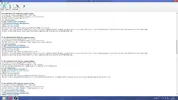
[FONT=Segoe UI, Arial]Crash dump directory: C:\Windows\Minidump[/FONT]
[FONT=Segoe UI, Arial][/FONT]
[FONT=Segoe UI, Arial]Crash dumps are enabled on your computer.
[/FONT]
[FONT=Segoe UI, Arial]On Fri 26/07/2013 10.56.30 GMT your computer crashed
crash dump file: C:\Windows\Minidump\072613-17546-01.dmp
This was probably caused by the following module: [FONT=Segoe UI, Arial]ntoskrnl.exe[/FONT] (nt+0x5A440)
Bugcheck code: 0x3B (0xC0000005, 0xFFFFF800C166CB58, 0xFFFFF88009740410, 0x0)
Error: [FONT=Segoe UI, Arial]SYSTEM_SERVICE_EXCEPTION[/FONT]
file path: C:\Windows\system32\ntoskrnl.exe
product: [FONT=Segoe UI, Arial]Microsoft® Windows® Operating System[/FONT]
company: [FONT=Segoe UI, Arial]Microsoft Corporation[/FONT]
description: NT Kernel & System
Bug check description: This indicates that an exception happened while executing a routine that transitions from non-privileged code to privileged code.
This appears to be a typical software driver bug and is not likely to be caused by a hardware problem.
The crash took place in the Windows kernel. Possibly this problem is caused by another driver that cannot be identified at this time.


[/FONT]
[FONT=Segoe UI, Arial]On Fri 26/07/2013 10.56.30 GMT your computer crashed
crash dump file: C:\Windows\memory.dmp
This was probably caused by the following module: [FONT=Segoe UI, Arial]ntkrnlmp.exe[/FONT] (nt!KeBugCheckEx+0x0)
Bugcheck code: 0x3B (0xC0000005, 0xFFFFF800C166CB58, 0xFFFFF88009740410, 0x0)
Error: [FONT=Segoe UI, Arial]SYSTEM_SERVICE_EXCEPTION[/FONT]
Bug check description: This indicates that an exception happened while executing a routine that transitions from non-privileged code to privileged code.
This appears to be a typical software driver bug and is not likely to be caused by a hardware problem.
The crash took place in the Windows kernel. Possibly this problem is caused by another driver that cannot be identified at this time.


[/FONT]
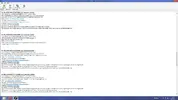
[FONT=Segoe UI, Arial]On Fri 26/07/2013 10.55.23 GMT your computer crashed
crash dump file: C:\Windows\Minidump\072613-21046-01.dmp
This was probably caused by the following module: [FONT=Segoe UI, Arial]ntoskrnl.exe[/FONT] (nt+0x5A440)
Bugcheck code: 0x1A (0x41201, 0xFFFFF683FBC80298, 0x2BA000011800A025, 0xFFFFFA8009B907E0)
Error: [FONT=Segoe UI, Arial]MEMORY_MANAGEMENT[/FONT]
file path: C:\Windows\system32\ntoskrnl.exe
product: [FONT=Segoe UI, Arial]Microsoft® Windows® Operating System[/FONT]
company: [FONT=Segoe UI, Arial]Microsoft Corporation[/FONT]
description: NT Kernel & System
Bug check description: This indicates that a severe memory management error occurred.
This might be a case of memory corruption. More often memory corruption happens because of software errors in buggy drivers, not because of faulty RAM modules.
The crash took place in the Windows kernel. Possibly this problem is caused by another driver that cannot be identified at this time.


[/FONT]
[FONT=Segoe UI, Arial]On Fri 26/07/2013 10.54.13 GMT your computer crashed
crash dump file: C:\Windows\Minidump\072613-23406-01.dmp
This was probably caused by the following module: [FONT=Segoe UI, Arial]ntoskrnl.exe[/FONT] (nt+0x5A440)
Bugcheck code: 0x4E (0x99, 0x10B007, 0x3, 0x0)
Error: [FONT=Segoe UI, Arial]PFN_LIST_CORRUPT[/FONT]
file path: C:\Windows\system32\ntoskrnl.exe
product: [FONT=Segoe UI, Arial]Microsoft® Windows® Operating System[/FONT]
company: [FONT=Segoe UI, Arial]Microsoft Corporation[/FONT]
description: NT Kernel & System
Bug check description: This indicates that the page frame number (PFN) list is corrupted.
This appears to be a typical software driver bug and is not likely to be caused by a hardware problem. This might be a case of memory corruption. More often memory corruption happens because of software errors in buggy drivers, not because of faulty RAM modules.
The crash took place in the Windows kernel. Possibly this problem is caused by another driver that cannot be identified at this time.


[/FONT]
[FONT=Segoe UI, Arial]On Thu 25/07/2013 20.05.45 GMT your computer crashed
crash dump file: C:\Windows\Minidump\072513-19312-01.dmp
This was probably caused by the following module: [FONT=Segoe UI, Arial]ntoskrnl.exe[/FONT] (nt+0x5A440)
Bugcheck code: 0x19 (0x3, 0xFFFFFA800C65C6E0, 0xFFFFFA800C65C6E0, 0xE18348C88B48028B)
Error: [FONT=Segoe UI, Arial]BAD_POOL_HEADER[/FONT]
file path: C:\Windows\system32\ntoskrnl.exe
product: [FONT=Segoe UI, Arial]Microsoft® Windows® Operating System[/FONT]
company: [FONT=Segoe UI, Arial]Microsoft Corporation[/FONT]
description: NT Kernel & System
Bug check description: This indicates that a pool header is corrupt.
This appears to be a typical software driver bug and is not likely to be caused by a hardware problem. This might be a case of memory corruption. More often memory corruption happens because of software errors in buggy drivers, not because of faulty RAM modules.
The crash took place in the Windows kernel. Possibly this problem is caused by another driver that cannot be identified at this time.


[/FONT]
[FONT=Segoe UI, Arial]On Thu 25/07/2013 19.41.01 GMT your computer crashed
crash dump file: C:\Windows\Minidump\072513-17562-01.dmp
This was probably caused by the following module: [FONT=Segoe UI, Arial]ntfs.sys[/FONT] (Ntfs+0x40C90)
Bugcheck code: 0x24 (0xB50019060B, 0xFFFFF8800B79C908, 0xFFFFF8800B79C140, 0xFFFFF8800157F679)
Error: [FONT=Segoe UI, Arial]NTFS_FILE_SYSTEM[/FONT]
file path: C:\Windows\system32\drivers\ntfs.sys
product: [FONT=Segoe UI, Arial]Sistema operativo Microsoft® Windows®[/FONT]
company: [FONT=Segoe UI, Arial]Microsoft Corporation[/FONT]
description: Driver file system NT
Bug check description: This indicates a problem occurred in the NTFS file system.
The crash took place in a standard Microsoft module. Your system configuration may be incorrect. Possibly this problem is caused by another driver on your system that cannot be identified at this time.


[/FONT]
[FONT=Segoe UI, Arial]On Thu 25/07/2013 19.38.32 GMT your computer crashed
crash dump file: C:\Windows\Minidump\072513-16968-01.dmp
This was probably caused by the following module: [FONT=Segoe UI, Arial]ntoskrnl.exe[/FONT] (nt+0x5A440)
Bugcheck code: 0x139 (0x3, 0xFFFFF88008DE2120, 0xFFFFF88008DE2078, 0x0)
Error: [FONT=Segoe UI, Arial]KERNEL_SECURITY_CHECK_FAILURE[/FONT]
file path: C:\Windows\system32\ntoskrnl.exe
product: [FONT=Segoe UI, Arial]Microsoft® Windows® Operating System[/FONT]
company: [FONT=Segoe UI, Arial]Microsoft Corporation[/FONT]
description: NT Kernel & System
Bug check description: The kernel has detected the corruption of a critical data structure.
The crash took place in the Windows kernel. Possibly this problem is caused by another driver that cannot be identified at this time.


[/FONT]
[FONT=Segoe UI, Arial]On Thu 25/07/2013 19.38.29 GMT your computer crashed
crash dump file: C:\Windows\Minidump\072513-17125-01.dmp
This was probably caused by the following module: [FONT=Segoe UI, Arial]Unknown[/FONT] ()
Bugcheck code: 0x0 (0x0, 0x0, 0x0, 0x0)
Error: [FONT=Segoe UI, Arial]CUSTOM_ERROR[/FONT]
A third party driver was identified as the probable root cause of this system error.
Google query: [FONT=Segoe UI, Arial]CUSTOM_ERROR[/FONT]


[/FONT]
[FONT=Segoe UI, Arial]On Thu 25/07/2013 19.23.56 GMT your computer crashed
crash dump file: C:\Windows\Minidump\072513-17625-01.dmp
This was probably caused by the following module: [FONT=Segoe UI, Arial]ntoskrnl.exe[/FONT] (nt+0x5A440)
Bugcheck code: 0x3B (0xC0000005, 0xFFFFF800B4ACBB58, 0xFFFFF88009763410, 0x0)
Error: [FONT=Segoe UI, Arial]SYSTEM_SERVICE_EXCEPTION[/FONT]
file path: C:\Windows\system32\ntoskrnl.exe
product: [FONT=Segoe UI, Arial]Microsoft® Windows® Operating System[/FONT]
company: [FONT=Segoe UI, Arial]Microsoft Corporation[/FONT]
description: NT Kernel & System
Bug check description: This indicates that an exception happened while executing a routine that transitions from non-privileged code to privileged code.
This appears to be a typical software driver bug and is not likely to be caused by a hardware problem.
The crash took place in the Windows kernel. Possibly this problem is caused by another driver that cannot be identified at this time.


[/FONT]
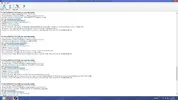
[FONT=Segoe UI, Arial]On Mon 22/07/2013 14.13.03 GMT your computer crashed
crash dump file: C:\Windows\Minidump\072213-21937-01.dmp
This was probably caused by the following module: [FONT=Segoe UI, Arial]ntoskrnl.exe[/FONT] (nt+0x5A440)
Bugcheck code: 0x3B (0xC0000005, 0xFFFFF801DA2740AE, 0xFFFFF88008804840, 0x0)
Error: [FONT=Segoe UI, Arial]SYSTEM_SERVICE_EXCEPTION[/FONT]
file path: C:\Windows\system32\ntoskrnl.exe
product: [FONT=Segoe UI, Arial]Microsoft® Windows® Operating System[/FONT]
company: [FONT=Segoe UI, Arial]Microsoft Corporation[/FONT]
description: NT Kernel & System
Bug check description: This indicates that an exception happened while executing a routine that transitions from non-privileged code to privileged code.
This appears to be a typical software driver bug and is not likely to be caused by a hardware problem.
The crash took place in the Windows kernel. Possibly this problem is caused by another driver that cannot be identified at this time.


[/FONT]
[FONT=Segoe UI, Arial]On Mon 22/07/2013 13.46.01 GMT your computer crashed
crash dump file: C:\Windows\Minidump\072213-23125-01.dmp
This was probably caused by the following module: [FONT=Segoe UI, Arial]ntoskrnl.exe[/FONT] (nt+0x5A440)
Bugcheck code: 0x3B (0xC0000005, 0xFFFFF800FFB59C83, 0xFFFFF88009AF3F30, 0x0)
Error: [FONT=Segoe UI, Arial]SYSTEM_SERVICE_EXCEPTION[/FONT]
file path: C:\Windows\system32\ntoskrnl.exe
product: [FONT=Segoe UI, Arial]Microsoft® Windows® Operating System[/FONT]
company: [FONT=Segoe UI, Arial]Microsoft Corporation[/FONT]
description: NT Kernel & System
Bug check description: This indicates that an exception happened while executing a routine that transitions from non-privileged code to privileged code.
This appears to be a typical software driver bug and is not likely to be caused by a hardware problem.
The crash took place in the Windows kernel. Possibly this problem is caused by another driver that cannot be identified at this time.


[/FONT]
[FONT=Segoe UI, Arial]On Mon 22/07/2013 13.42.17 GMT your computer crashed
crash dump file: C:\Windows\Minidump\072213-19640-01.dmp
This was probably caused by the following module: [FONT=Segoe UI, Arial]ntoskrnl.exe[/FONT] (nt+0x5A440)
Bugcheck code: 0xC000021A (0xFFFFF8A002CF7630, 0x0, 0x0, 0x0)
Error: [FONT=Segoe UI, Arial]STATUS_SYSTEM_PROCESS_TERMINATED[/FONT]
file path: C:\Windows\system32\ntoskrnl.exe
product: [FONT=Segoe UI, Arial]Microsoft® Windows® Operating System[/FONT]
company: [FONT=Segoe UI, Arial]Microsoft Corporation[/FONT]
description: NT Kernel & System
Bug check description: This means that an error has occurred in a crucial user-mode subsystem.
There is a possibility this problem was caused by a virus or other malware.
The crash took place in the Windows kernel. Possibly this problem is caused by another driver that cannot be identified at this time.


[/FONT]
[FONT=Segoe UI, Arial]On Mon 22/07/2013 13.34.12 GMT your computer crashed
crash dump file: C:\Windows\Minidump\072213-15531-01.dmp
This was probably caused by the following module: [FONT=Segoe UI, Arial]ntoskrnl.exe[/FONT] (nt+0x5A440)
Bugcheck code: 0x1A (0x41284, 0x7FD3DD72001, 0x27C, 0xFFFFF70001080000)
Error: [FONT=Segoe UI, Arial]MEMORY_MANAGEMENT[/FONT]
file path: C:\Windows\system32\ntoskrnl.exe
product: [FONT=Segoe UI, Arial]Microsoft® Windows® Operating System[/FONT]
company: [FONT=Segoe UI, Arial]Microsoft Corporation[/FONT]
description: NT Kernel & System
Bug check description: This indicates that a severe memory management error occurred.
This might be a case of memory corruption. More often memory corruption happens because of software errors in buggy drivers, not because of faulty RAM modules.
The crash took place in the Windows kernel. Possibly this problem is caused by another driver that cannot be identified at this time.


[/FONT]
[FONT=Segoe UI, Arial]On Mon 22/07/2013 13.32.57 GMT your computer crashed
crash dump file: C:\Windows\Minidump\072213-17281-02.dmp
This was probably caused by the following module: [FONT=Segoe UI, Arial]win32k.sys[/FONT] (win32k+0x290204)
Bugcheck code: 0x19 (0x20, 0xFFFFF901001DE0C0, 0xFFFFF901001DE0C0, 0x25000002)
Error: [FONT=Segoe UI, Arial]BAD_POOL_HEADER[/FONT]
file path: C:\Windows\system32\win32k.sys
product: [FONT=Segoe UI, Arial]Sistema operativo Microsoft® Windows®[/FONT]
company: [FONT=Segoe UI, Arial]Microsoft Corporation[/FONT]
description: Driver Win32 multiutente
Bug check description: This indicates that a pool header is corrupt.
This appears to be a typical software driver bug and is not likely to be caused by a hardware problem. This might be a case of memory corruption. More often memory corruption happens because of software errors in buggy drivers, not because of faulty RAM modules.
The crash took place in a standard Microsoft module. Your system configuration may be incorrect. Possibly this problem is caused by another driver on your system that cannot be identified at this time.


[/FONT]
[FONT=Segoe UI, Arial]On Mon 22/07/2013 13.26.40 GMT your computer crashed
crash dump file: C:\Windows\Minidump\072213-14468-01.dmp
This was probably caused by the following module: [FONT=Segoe UI, Arial]ntfs.sys[/FONT] (0xFFFFF880017B81C0)
Bugcheck code: 0x50 (0xFFFFF8A00289B660, 0x0, 0xFFFFF880017B81C0, 0x0)
Error: [FONT=Segoe UI, Arial]PAGE_FAULT_IN_NONPAGED_AREA[/FONT]
file path: C:\Windows\system32\drivers\ntfs.sys
product: [FONT=Segoe UI, Arial]Sistema operativo Microsoft® Windows®[/FONT]
company: [FONT=Segoe UI, Arial]Microsoft Corporation[/FONT]
description: Driver file system NT
Bug check description: This indicates that invalid system memory has been referenced.
This appears to be a typical software driver bug and is not likely to be caused by a hardware problem.
The crash took place in a standard Microsoft module. Your system configuration may be incorrect. Possibly this problem is caused by another driver on your system that cannot be identified at this time.
[/FONT]


comunque i driver della mia scheda sono aggiornati
Cattura 6.webp
 
hmmmm in un bsod accennano ad un malware... prova a rimuoverlo con malwarebytes fai uno scan approfondito e vedi cosa succede
 
no meglio malwarebytes per esperienza è migliore di spybot
Ho fatto girare malwarebytes e spyboot...avevi proprio ragione malwarebytes mi ha trovato 5 popup di softonic che spyboot non aveva trovato...comunque niente di grave. Provo a vedere se mi fa ancora schermate blu e poi ti dico, ma credo proprio di si. Nel caso me le facesse di nuovo io vorrei reinstallare windows 8...:sisi:
 
Pubblicità
Pubblicità
Indietro
Top