PROBLEMA Schermata blu errore 0x00000124

Pubblicità

Ensiferum

Utente Attivo
Messaggi
430
Reazioni
33
Punteggio
40
Salve a tutti. Oggi, dopo tanto tempo di inattività su Battlefield 3, sono ritornato a farmi qualche partita. E per due volte mi ha fatto la stessa schermata blu con errore 0x00000124. Che cosa può essere? Io non ho fatto nulla di particolare al pc. Ha sempre funzionato perfettamente con Battlefield 3 e tutti gli altri giochi. Il pc in questione non è vecchio, anzi..è molto recente. Le caratteristiche potete leggerle nelle informazioni sotto alla mia foto. L' unica cosa che feci agli inizi, per risolvere un fastidioso crash quando uso Bf3, è stato alzare il GPU Voltage o GPU Clock. Non ricordo esattamente quali dei due o se tutti e due. E in ogni caso non mi ha mai dato problemi questa modifica, anzi...me li ha risolti!
Grazie per l' attenzione.

- - - Updated - - -

Aggiungo inoltre che poco fa, dopo aver aggiornato i driver della scheda video, che mi ha fatto un errore di DirectX con scritto: DirectX funcion "GetDeviceRemovedReason" failed with DXGI_ERROR_DEVICE_HUNG: Device hung due to badly formed commands. Un' altra cosa strana che riscontro è che su Battlefield 3 vedo alcune texture del terreno...gialle!!! Forse è la scheda video che sta dando i numeri? E' strano, negli altri giochi non mi da alcun tipo di errore!!
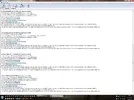
 
copia tutto il report e incolla qui


[FONT=Segoe UI, Arial]Welcome to WhoCrashed (HOME EDITION) v 4.01
[/FONT]
[FONT=Segoe UI, Arial]This program checks for drivers which have been crashing your computer. If your computer has displayed a blue screen of death, suddenly rebooted or shut down then this program will help you find the root cause and possibly a solution.

Whenever a computer suddenly reboots without displaying any notice or blue screen of death, the first thing that is often thought about is a hardware failure. In reality, on Windows most crashes are caused by malfunctioning device drivers and kernel modules. In case of a kernel error, many computers do not show a blue screen unless they are configured for this. Instead these systems suddenly reboot without any notice.

This program will analyze your crash dumps with the single click of a button. It will tell you what drivers are likely to be responsible for crashing your computer. It will report a conclusion which offers suggestions on how to proceed in any situation while the analysis report will display internet links which will help you further troubleshoot any detected problems.
[/FONT]
[FONT=Segoe UI, Arial]To obtain technical support visit www.resplendence.com/support

[/FONT][FONT=Segoe UI, Arial]Click here to check if you have the latest version or if an update is available.

[/FONT][FONT=Segoe UI, Arial]Just click the Analyze button for a comprehensible report ...


[/FONT][FONT=Segoe UI, Arial]
Home Edition Notice

[/FONT]
[FONT=Segoe UI, Arial]This version of WhoCrashed is free for use at home only. If you would like to use this software at work or in a commercial environment you should get the professional edition of WhoCrashed which also allows analysis of crashdumps on remote drives and computers on the network and offers a range of additional features.

Click here for more information on the professional edition.
Click here to buy the the professional edition of WhoCrashed.
[/FONT]
[FONT=Segoe UI, Arial]
System Information (local)

[/FONT]
[FONT=Segoe UI, Arial]computer name: SUPERPC
windows version: Windows 7 Service Pack 1, 6.1, build: 7601
windows dir: C:\Windows
CPU: GenuineIntel Intel(R) Core(TM) i7-2600K CPU @ 3.40GHz Intel586, level: 6
8 logical processors, active mask: 255
RAM: 17081880576 total
VM: 2147352576, free: 1926959104


[/FONT]
[FONT=Segoe UI, Arial]
Crash Dump Analysis

[/FONT]
[FONT=Segoe UI, Arial]Crash dump directory: C:\Windows\Minidump[/FONT]
[FONT=Segoe UI, Arial][/FONT]
[FONT=Segoe UI, Arial]Crash dumps are enabled on your computer.
[/FONT]
[FONT=Segoe UI, Arial]On Tue 02/04/2013 18:47:47 GMT your computer crashed
crash dump file: C:\Windows\Minidump\040213-119106-01.dmp
This was probably caused by the following module: [FONT=Segoe UI, Arial]hal.dll[/FONT] (hal+0x12A3B)
Bugcheck code: 0x124 (0x0, 0xFFFFFA8012E2C028, 0xBE200000, 0x5110A)
Error: [FONT=Segoe UI, Arial]WHEA_UNCORRECTABLE_ERROR[/FONT]
file path: C:\Windows\system32\hal.dll
product: [FONT=Segoe UI, Arial]Microsoft® Windows® Operating System[/FONT]
company: [FONT=Segoe UI, Arial]Microsoft Corporation[/FONT]
description: Hardware Abstraction Layer DLL
Bug check description: This bug check indicates that a fatal hardware error has occurred. This bug check uses the error data that is provided by the Windows Hardware Error Architecture (WHEA).
This is likely to be caused by a hardware problem problem. This problem might be caused by a thermal issue.
The crash took place in a standard Microsoft module. Your system configuration may be incorrect. Possibly this problem is caused by another driver on your system that cannot be identified at this time.


[/FONT]
[FONT=Segoe UI, Arial]On Tue 02/04/2013 18:47:47 GMT your computer crashed
crash dump file: C:\Windows\memory.dmp
This was probably caused by the following module: [FONT=Segoe UI, Arial]hal.dll[/FONT] (hal!HalBugCheckSystem+0x1E3)
Bugcheck code: 0x124 (0x0, 0xFFFFFA8012E2C028, 0xBE200000, 0x5110A)
Error: [FONT=Segoe UI, Arial]WHEA_UNCORRECTABLE_ERROR[/FONT]
file path: C:\Windows\system32\hal.dll
product: [FONT=Segoe UI, Arial]Microsoft® Windows® Operating System[/FONT]
company: [FONT=Segoe UI, Arial]Microsoft Corporation[/FONT]
description: Hardware Abstraction Layer DLL
Bug check description: This bug check indicates that a fatal hardware error has occurred. This bug check uses the error data that is provided by the Windows Hardware Error Architecture (WHEA).
This is likely to be caused by a hardware problem problem. This problem might be caused by a thermal issue.
The crash took place in a standard Microsoft module. Your system configuration may be incorrect. Possibly this problem is caused by another driver on your system that cannot be identified at this time.


[/FONT]
[FONT=Segoe UI, Arial]On Tue 02/04/2013 17:27:54 GMT your computer crashed
crash dump file: C:\Windows\Minidump\040213-99372-01.dmp
This was probably caused by the following module: [FONT=Segoe UI, Arial]hal.dll[/FONT] (hal+0x12A3B)
Bugcheck code: 0x124 (0x0, 0xFFFFFA8012EDF028, 0xBE200000, 0x5110A)
Error: [FONT=Segoe UI, Arial]WHEA_UNCORRECTABLE_ERROR[/FONT]
file path: C:\Windows\system32\hal.dll
product: [FONT=Segoe UI, Arial]Microsoft® Windows® Operating System[/FONT]
company: [FONT=Segoe UI, Arial]Microsoft Corporation[/FONT]
description: Hardware Abstraction Layer DLL
Bug check description: This bug check indicates that a fatal hardware error has occurred. This bug check uses the error data that is provided by the Windows Hardware Error Architecture (WHEA).
This is likely to be caused by a hardware problem problem. This problem might be caused by a thermal issue.
The crash took place in a standard Microsoft module. Your system configuration may be incorrect. Possibly this problem is caused by another driver on your system that cannot be identified at this time.


[/FONT]
[FONT=Segoe UI, Arial]On Tue 19/02/2013 23:48:58 GMT your computer crashed
crash dump file: C:\Windows\Minidump\022013-68032-01.dmp
This was probably caused by the following module: [FONT=Segoe UI, Arial]hal.dll[/FONT] (hal+0x12A3B)
Bugcheck code: 0x124 (0x0, 0xFFFFFA8012E03028, 0xBE200000, 0x5110A)
Error: [FONT=Segoe UI, Arial]WHEA_UNCORRECTABLE_ERROR[/FONT]
file path: C:\Windows\system32\hal.dll
product: [FONT=Segoe UI, Arial]Microsoft® Windows® Operating System[/FONT]
company: [FONT=Segoe UI, Arial]Microsoft Corporation[/FONT]
description: Hardware Abstraction Layer DLL
Bug check description: This bug check indicates that a fatal hardware error has occurred. This bug check uses the error data that is provided by the Windows Hardware Error Architecture (WHEA).
This is likely to be caused by a hardware problem problem. This problem might be caused by a thermal issue.
The crash took place in a standard Microsoft module. Your system configuration may be incorrect. Possibly this problem is caused by another driver on your system that cannot be identified at this time.


[/FONT]
[FONT=Segoe UI, Arial]
Conclusion

[/FONT]
[FONT=Segoe UI, Arial]4 crash dumps have been found and analyzed. No offending third party drivers have been found. Consider configuring your system to produce a full memory dump for better analysis.


Read the topic general suggestions for troubleshooting system crashes for more information.

Note that it's not always possible to state with certainty whether a reported driver is actually responsible for crashing your system or that the root cause is in another module. Nonetheless it's suggested you look for updates for the products that these drivers belong to and regularly visit Windows update or enable automatic updates for Windows. In case a piece of malfunctioning hardware is causing trouble, a search with Google on the bug check errors together with the model name and brand of your computer may help you investigate this further.
[/FONT]

- - - Updated - - -

Sempre se ti crasha con una schermata blu, e si riavvia poi

Ma io non ho Hamachi. Lo avevo, ma l' ho disinstallato. La schermata blu rimane e devo spegnere l' alimentazione per riavviare il pc.
 
Pubblicità
Pubblicità
Indietro
Top