Segui il video qui sotto per vedere come installare il nostro sito come web app sulla tua schermata principale.
Nota: Questa funzionalità potrebbe non essere disponibile in alcuni browser.
Pubblicità
DISKPART> list disk
N. disco Stato Dimensioni Disponibile Din GPT
-------- ------------- ------------- ------------- --- ---
Disco 0 Online 1863 Gbytes 0 byte
Disco 1 Online 107 Gbytes 0 byte
Disco 2 Online 298 Gbytes 0 byte
Disco 3 Online 465 Gbytes 1024 Kbytes
Disco 4 Online 69 Gbytes 0 byte
DISKPART>
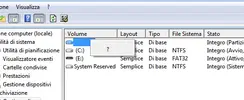
DISKPART> list volume
Volume ### Let. Etichetta Fs Tipo Dim. Stato Info
--------- --- ----------- ----- ---------- ------- --------- --------
Volume 0 F 2TB F NTFS Partizione 1863 Gb Integro
Volume 1 Riservato p NTFS Partizione 350 Mb Integro Sistema
Volume 2 C NTFS Partizione 106 Gb Integro Avvio
Volume 3 D DATI 320gb NTFS Partizione 288 Gb Integro
Volume 4 Z SWAP NTFS Partizione 9 Gb Integro FilediPa
Volume 5 I FreeAgent D NTFS Partizione 465 Gb Integro
DISKPART>
DISKPART> select volume 5
Il volume attualmente selezionato è il volume 5.
DISKPART>
DISKPART> remove letter = I
DiskPart: rimozione della lettera di unità o del punto di montaggio completata.
DISKPART>
DISKPART> list volume
Volume ### Let. Etichetta Fs Tipo Dim. Stato Info
--------- --- ----------- ----- ---------- ------- --------- --------
Volume 0 F 2TB F NTFS Partizione 1863 Gb Integro
Volume 1 Riservato p NTFS Partizione 350 Mb Integro Sistema
Volume 2 C NTFS Partizione 106 Gb Integro Avvio
Volume 3 D DATI 320gb NTFS Partizione 288 Gb Integro
Volume 4 Z SWAP NTFS Partizione 9 Gb Integro FilediPa
* Volume 5 FreeAgent D NTFS Partizione 465 Gb Integro
DISKPART>