Innos
Utente Attivo
- Messaggi
- 594
- Reazioni
- 47
- Punteggio
- 61
Arrivate le gemelline, procedo con il montaggio, tutto fila liscio.
Avvio il pc, le riconosce!Siiii sono vicino!
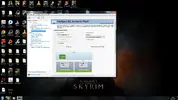
Vado al pannello di controllo Nvidia, attivo lo sli e boom :cav:, la solita bsod a rompere le pall..ehmmm :asd:
Ecco quì maggiori dettagli sull'errore:
Nella schermata blu esce scritto:
Driver_IRQL_not_less_or_equal
Problema legato a NVLDDMKM.SYS
Firma problema:
Nome evento problema: BlueScreen
Versione SO: 6.1.7601.2.1.0.256.1
ID impostazioni locali: 1040
Ulteriori informazioni sul problema:
BCCode: d1
BCP1: 0000000000000010
BCP2: 000000000000000E
BCP3: 0000000000000000
BCP4: FFFFF8800861775E
OS Version: 6_1_7601
Service Pack: 1_0
Product: 256_1
File che contribuiscono alla descrizione del problema:
C:\Windows\Minidump\071413-4368-01.dmp
C:\Users\Innos\AppData\Local\Temp\WER-6052-0.sysdata.xml
Leggere l'informativa sulla privacy online:
Informativa sulla privacy di Windows 7 - Microsoft Windows
Se l'informativa sulla privacy online non è disponibile, leggere quella offline:
C:\Windows\system32\it-IT\erofflps.txt
Cercando online non è che abbia trovato poi molto, qualcuno sa aiutarmi?? :help:
Edit:
1)Ricordo che il problema lo dà solo se avvio lo sli;
2)Pare che il problema sia dovuto ai driver REALTEK;
3)Ho provato le ram singolarmente, senza successo;
4)Devo provare le 2 schede video, ma preferirei tenerla come ultima soluzione, ci va abbastanza a smontare tutto.
5)Avevo trovato questa soluzione su tom uk:
"I've found a SOLID fix for this problem.
1) Delete ALL Nvidia drivers.
2) RollBack or UPdate your current LAN drivers, especially if you use an ASUS mobo.
3) Restart
4) Windows will automatically install some drivers to your system for your current graphics card if you use Win 7
This is normal
4a) Run CCleaner <--- See below
4b) Run Driver Cleaner from Guru3D.. <--- See below
5) Install the current Nvidia drivers. At the time of this post it is version 197.** released this month.
6) Restart
7) If no BSOD after restart, Set SLI settings and test.
8) After restart test system for BSOD boot up and run screens.
I highly recommend running a few free programs to help with this:
Nova Bench -- Free system test. Run it often. http://novabench.com/download.php
CCleaner -- Gets rid of your old driver files and reboots for you.. Extremely important for removing Nvidia files.
http://www.piriform.com/ccleaner.
Driver Cleaner: Deletes all left over Driver files, specific to Nvida, Creative labs, ATI..
http://downloads.guru3d.com/download.php?det=745
From what I have found the core reason for the this BSOD is an issue with the REALTEK LAN driver competeing with the Nvidia display drivers fighting for the same territory. Once rolled back or updated i have had 0 issues with BSOD's whether during boot or after boot. I really hope this helps guys. I've researched this problem a ton.
Try it and get back to me!!
Sphinx."
Senza soluzione.
Spero qualcuno tra di voi sia illuminato, appena prese, non vorrei dovermi affidare all'RMA :(
Avvio il pc, le riconosce!Siiii sono vicino!
Vado al pannello di controllo Nvidia, attivo lo sli e boom :cav:, la solita bsod a rompere le pall..ehmmm :asd:
Ecco quì maggiori dettagli sull'errore:
Nella schermata blu esce scritto:
Driver_IRQL_not_less_or_equal
Problema legato a NVLDDMKM.SYS
Firma problema:
Nome evento problema: BlueScreen
Versione SO: 6.1.7601.2.1.0.256.1
ID impostazioni locali: 1040
Ulteriori informazioni sul problema:
BCCode: d1
BCP1: 0000000000000010
BCP2: 000000000000000E
BCP3: 0000000000000000
BCP4: FFFFF8800861775E
OS Version: 6_1_7601
Service Pack: 1_0
Product: 256_1
File che contribuiscono alla descrizione del problema:
C:\Windows\Minidump\071413-4368-01.dmp
C:\Users\Innos\AppData\Local\Temp\WER-6052-0.sysdata.xml
Leggere l'informativa sulla privacy online:
Informativa sulla privacy di Windows 7 - Microsoft Windows
Se l'informativa sulla privacy online non è disponibile, leggere quella offline:
C:\Windows\system32\it-IT\erofflps.txt
Cercando online non è che abbia trovato poi molto, qualcuno sa aiutarmi?? :help:
Edit:
1)Ricordo che il problema lo dà solo se avvio lo sli;
2)Pare che il problema sia dovuto ai driver REALTEK;
3)Ho provato le ram singolarmente, senza successo;
4)Devo provare le 2 schede video, ma preferirei tenerla come ultima soluzione, ci va abbastanza a smontare tutto.
5)Avevo trovato questa soluzione su tom uk:
"I've found a SOLID fix for this problem.
1) Delete ALL Nvidia drivers.
2) RollBack or UPdate your current LAN drivers, especially if you use an ASUS mobo.
3) Restart
4) Windows will automatically install some drivers to your system for your current graphics card if you use Win 7
This is normal
4a) Run CCleaner <--- See below
4b) Run Driver Cleaner from Guru3D.. <--- See below
5) Install the current Nvidia drivers. At the time of this post it is version 197.** released this month.
6) Restart
7) If no BSOD after restart, Set SLI settings and test.
8) After restart test system for BSOD boot up and run screens.
I highly recommend running a few free programs to help with this:
Nova Bench -- Free system test. Run it often. http://novabench.com/download.php
CCleaner -- Gets rid of your old driver files and reboots for you.. Extremely important for removing Nvidia files.
http://www.piriform.com/ccleaner.
Driver Cleaner: Deletes all left over Driver files, specific to Nvida, Creative labs, ATI..
http://downloads.guru3d.com/download.php?det=745
From what I have found the core reason for the this BSOD is an issue with the REALTEK LAN driver competeing with the Nvidia display drivers fighting for the same territory. Once rolled back or updated i have had 0 issues with BSOD's whether during boot or after boot. I really hope this helps guys. I've researched this problem a ton.
Try it and get back to me!!
Sphinx."
Senza soluzione.
Spero qualcuno tra di voi sia illuminato, appena prese, non vorrei dovermi affidare all'RMA :(
Ultima modifica: