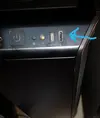
Nemmeno in gestione disco?
Ciao Grazie per la risposta , no niente , il disco esterno tenendolo in mano si sente che parte si accende la luce verde , ma niente non esce niente .....sto impazzendo su internet sto cercando da una settimana , ho trovato qualcosa su un altro forum in inglese
di un ragazzo che ha avuto il mio stesso problema , poi non ho capito bene se ha tolto il cavo e l'ha rimesso magari facendo piu forza , ma io quando inserisco il cavo sento che e entrato .
--------------------
I have a Asus ROG Crosshair Hero VIII WiFi motherboard on BIOS 1302 and it is in a Coolermaster H500M case.
I have the USB 3.2 Gen2 front panel connector on the motherboard (item 11 in the manual listed as U32G2_5) connected to the case.
When I plug in any USB-C device, it charges the device, but it never shows up as a device on the computer or makes a USB connecting sound.
The rear USB-C port works fine. (Tried iPad, iPhone, USB-C drive).
I tried USBTreeView and do not see any connections once plugged in.
Looking in the BIOS, everything for USB is enabled. I noticed that under single port control – U32G2_5 is not even listed.
----------Poi dice che ha risolto
I ended up just manually removing the cable and firmly reconnecting and it solved the issue.