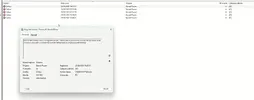
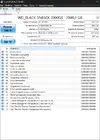
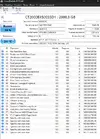
Vai nel registro eventi, tab sistema e controlla se viene segnalato qualche errore critico negli orari in cui vengono le schermate nere.
Installa
WhoCrashed e controlla se magari windows ha creato un dump di sistema a seguito dei crash e degli avvii. Se c'è... analizzalo e dicci cosa ne esce.
Ho analizzato un dump di WhoCrashed, questo è il risultato:
*******************************************************************************
* *
* Bugcheck Analysis *
* *
*******************************************************************************
PAGE_FAULT_IN_NONPAGED_AREA (50)
Invalid system memory was referenced. This cannot be protected by try-except.
Typically the address is just plain bad or it is pointing at freed memory.
Arguments:
Arg1: fffff585d7640220, memory referenced.
Arg2: 0000000000000000, X64: bit 0 set if the fault was due to a not-present PTE.
bit 1 is set if the fault was due to a write, clear if a read.
bit 3 is set if the processor decided the fault was due to a corrupted PTE.
bit 4 is set if the fault was due to attempted execute of a no-execute PTE.
- ARM64: bit 1 is set if the fault was due to a write, clear if a read.
bit 3 is set if the fault was due to attempted execute of a no-execute PTE.
Arg3: fffff80788062ed4, If non-zero, the instruction address which referenced the bad memory
address.
Arg4: 0000000000000002, (reserved)
Debugging Details:
------------------
*** WARNING: Unable to verify timestamp for IOMap64.sys
KEY_VALUES_STRING: 1
Key : AV.Type
Value: Read
Key : Analysis.CPU.mSec
Value: 1156
Key : Analysis.Elapsed.mSec
Value: 4422
Key : Analysis.IO.Other.Mb
Value: 7
Key : Analysis.IO.Read.Mb
Value: 1
Key : Analysis.IO.Write.Mb
Value: 24
Key : Analysis.Init.CPU.mSec
Value: 671
Key : Analysis.Init.Elapsed.mSec
Value: 23041
Key : Analysis.Memory.CommitPeak.Mb
Value: 104
Key : Analysis.Version.DbgEng
Value: 10.0.27829.1001
Key : Analysis.Version.Description
Value: 10.2503.24.01 amd64fre
Key : Analysis.Version.Ext
Value: 1.2503.24.1
Key : Bugcheck.Code.LegacyAPI
Value: 0x50
Key : Bugcheck.Code.TargetModel
Value: 0x50
Key : Dump.Attributes.AsUlong
Value: 0x21808
Key : Dump.Attributes.DiagDataWrittenToHeader
Value: 1
Key : Dump.Attributes.ErrorCode
Value: 0x0
Key : Dump.Attributes.KernelGeneratedTriageDump
Value: 1
Key : Dump.Attributes.LastLine
Value: Dump completed successfully.
Key : Dump.Attributes.ProgressPercentage
Value: 0
Key : Failure.Bucket
Value: AV_R_(null)_IOMap64!unknown_function
Key : Failure.Exception.IP.Address
Value: 0xfffff80788062ed4
Key : Failure.Exception.IP.Module
Value: IOMap64
Key : Failure.Exception.IP.Offset
Value: 0x2ed4
Key : Failure.Hash
Value: {26fa8289-54b7-7ee0-36d7-18b62377a2ed}
Key : Hypervisor.Enlightenments.ValueHex
Value: 0x7497cf94
Key : Hypervisor.Flags.AnyHypervisorPresent
Value: 1
Key : Hypervisor.Flags.ApicEnlightened
Value: 1
Key : Hypervisor.Flags.ApicVirtualizationAvailable
Value: 0
Key : Hypervisor.Flags.AsyncMemoryHint
Value: 0
Key : Hypervisor.Flags.CoreSchedulerRequested
Value: 0
Key : Hypervisor.Flags.CpuManager
Value: 1
Key : Hypervisor.Flags.DeprecateAutoEoi
Value: 0
Key : Hypervisor.Flags.DynamicCpuDisabled
Value: 1
Key : Hypervisor.Flags.Epf
Value: 0
Key : Hypervisor.Flags.ExtendedProcessorMasks
Value: 1
Key : Hypervisor.Flags.HardwareMbecAvailable
Value: 1
Key : Hypervisor.Flags.MaxBankNumber
Value: 0
Key : Hypervisor.Flags.MemoryZeroingControl
Value: 0
Key : Hypervisor.Flags.NoExtendedRangeFlush
Value: 0
Key : Hypervisor.Flags.NoNonArchCoreSharing
Value: 1
Key : Hypervisor.Flags.Phase0InitDone
Value: 1
Key : Hypervisor.Flags.PowerSchedulerQos
Value: 0
Key : Hypervisor.Flags.RootScheduler
Value: 0
Key : Hypervisor.Flags.SynicAvailable
Value: 1
Key : Hypervisor.Flags.UseQpcBias
Value: 0
Key : Hypervisor.Flags.Value
Value: 38408431
Key : Hypervisor.Flags.ValueHex
Value: 0x24a10ef
Key : Hypervisor.Flags.VpAssistPage
Value: 1
Key : Hypervisor.Flags.VsmAvailable
Value: 1
Key : Hypervisor.RootFlags.AccessStats
Value: 1
Key : Hypervisor.RootFlags.CrashdumpEnlightened
Value: 1
Key : Hypervisor.RootFlags.CreateVirtualProcessor
Value: 1
Key : Hypervisor.RootFlags.DisableHyperthreading
Value: 0
Key : Hypervisor.RootFlags.HostTimelineSync
Value: 1
Key : Hypervisor.RootFlags.HypervisorDebuggingEnabled
Value: 0
Key : Hypervisor.RootFlags.IsHyperV
Value: 1
Key : Hypervisor.RootFlags.LivedumpEnlightened
Value: 1
Key : Hypervisor.RootFlags.MapDeviceInterrupt
Value: 1
Key : Hypervisor.RootFlags.MceEnlightened
Value: 1
Key : Hypervisor.RootFlags.Nested
Value: 0
Key : Hypervisor.RootFlags.StartLogicalProcessor
Value: 1
Key : Hypervisor.RootFlags.Value
Value: 1015
Key : Hypervisor.RootFlags.ValueHex
Value: 0x3f7
BUGCHECK_CODE: 50
BUGCHECK_P1: fffff585d7640220
BUGCHECK_P2: 0
BUGCHECK_P3: fffff80788062ed4
BUGCHECK_P4: 2
FILE_IN_CAB: 060825-14187-01.dmp
TAG_NOT_DEFINED_202b: *** Unknown TAG in analysis list 202b
DUMP_FILE_ATTRIBUTES: 0x21808
Kernel Generated Triage Dump
FAULTING_THREAD: ffffb482d05f1080
READ_ADDRESS: fffff807ac1c44c0: Unable to get MiVisibleState
Unable to get NonPagedPoolStart
Unable to get NonPagedPoolEnd
Unable to get PagedPoolStart
Unable to get PagedPoolEnd
unable to get nt!MmSpecialPagesInUse
fffff585d7640220
MM_INTERNAL_CODE: 2
BLACKBOXBSD: 1 (!blackboxbsd)
BLACKBOXNTFS: 1 (!blackboxntfs)
BLACKBOXPNP: 1 (!blackboxpnp)
BLACKBOXWINLOGON: 1
CUSTOMER_CRASH_COUNT: 1
PROCESS_NAME: FileOperator.e
STACK_TEXT:
fffff008`68631b88 fffff807`ab5110d4 : 00000000`00000050 fffff585`d7640220 00000000`00000000 fffff008`68631df0 : nt!KeBugCheckEx
fffff008`68631b90 fffff807`ab429a70 : ffffb482`be100140 ffff8000`00000000 fffff585`d7640220 0000007f`fffffff8 : nt!MiSystemFault+0x7a0
fffff008`68631c80 fffff807`ab8b47cb : 00000000`00000000 00000000`00000000 ffffb482`d63d5a80 ffffb482`cf6c1170 : nt!MmAccessFault+0x630
fffff008`68631df0 fffff807`88062ed4 : fffff807`88062db4 00000000`00040246 fffff807`ab445d33 ffffb482`be8f0000 : nt!KiPageFault+0x38b
fffff008`68631f88 fffff807`88062db4 : 00000000`00040246 fffff807`ab445d33 ffffb482`be8f0000 00000000`00000002 : IOMap64+0x2ed4
fffff008`68631f90 00000000`00040246 : fffff807`ab445d33 ffffb482`be8f0000 00000000`00000002 ffffb482`d31d3800 : IOMap64+0x2db4
fffff008`68631f98 fffff807`ab445d33 : ffffb482`be8f0000 00000000`00000002 ffffb482`d31d3800 fffff807`ab4c9a39 : 0x40246
fffff008`68631fa0 fffff807`88062821 : 00000000`00000000 fffff807`ab4c9a39 00000000`00000000 00000000`00000001 : nt!IofCompleteRequest+0x13
fffff008`68631fd0 00000000`00000000 : fffff807`ab4c9a39 00000000`00000000 00000000`00000001 ffffb482`cf6c1140 : IOMap64+0x2821
SYMBOL_NAME: IOMap64+2ed4
MODULE_NAME: IOMap64
IMAGE_NAME: IOMap64.sys
STACK_COMMAND: .process /r /p 0xffffb482d6a5c080; .thread 0xffffb482d05f1080 ; kb
BUCKET_ID_FUNC_OFFSET: 2ed4
FAILURE_BUCKET_ID: AV_R_(null)_IOMap64!unknown_function
OSPLATFORM_TYPE: x64
OSNAME: Windows 10
FAILURE_ID_HASH: {26fa8289-54b7-7ee0-36d7-18b62377a2ed}
Followup: MachineOwner
---------
Questo invece è ciò che mi esce sul Registro eventi: