Bluescreen sempre alla stessa ora

Pubblicità

Shika9393

Utente Attivo
Messaggi
337
Reazioni
42
Punteggio
39
E' la seconda volta che mi succede su un mio pc.
Vi allego i due file dmp e i due report.

Codice:
==================================================
Dump File         : 082516-23343-01.dmp
Crash Time        : 25/08/2016 13:23:21
Bug Check String  : 
Bug Check Code    : 0x00000124
Parameter 1       : 0x00000000
Parameter 2       : 0x854f88fc
Parameter 3       : 0xb2000000
Parameter 4       : 0x00070f0f
Caused By Driver  : halmacpi.dll
Caused By Address : halmacpi.dll+ef3f
File Description  : Hardware Abstraction Layer DLL
Product Name      : Microsoft® Windows® Operating System
Company           : Microsoft Corporation
File Version      : 6.1.7600.16385 (win7_rtm.090713-1255)
Processor         : 32-bit
Crash Address     : ntkrnlpa.exe+dcd10
Stack Address 1   : halmacpi.dll+ef3f
Stack Address 2   : ntkrnlpa.exe+cef04
Stack Address 3   : halmacpi.dll+f1f1
Computer Name     : 
Full Path         : C:\Windows\Minidump\082516-23343-01.dmp
Processors Count  : 1
Major Version     : 15
Minor Version     : 7600
Dump File Size    : 159.632
Dump File Time    : 25/08/2016 13:25:09
==================================================

Codice:
==================================================
Dump File         : 082616-23812-01.dmp
Crash Time        : 26/08/2016 13:03:30
Bug Check String  : 
Bug Check Code    : 0x00000124
Parameter 1       : 0x00000000
Parameter 2       : 0x854e5464
Parameter 3       : 0xb2000000
Parameter 4       : 0x00070f0f
Caused By Driver  : halmacpi.dll
Caused By Address : halmacpi.dll+ef3f
File Description  : Hardware Abstraction Layer DLL
Product Name      : Microsoft® Windows® Operating System
Company           : Microsoft Corporation
File Version      : 6.1.7600.16385 (win7_rtm.090713-1255)
Processor         : 32-bit
Crash Address     : ntkrnlpa.exe+dcd10
Stack Address 1   : halmacpi.dll+ef3f
Stack Address 2   : ntkrnlpa.exe+cef04
Stack Address 3   : halmacpi.dll+f1f1
Computer Name     : 
Full Path         : C:\Windows\Minidump\082616-23812-01.dmp
Processors Count  : 1
Major Version     : 15
Minor Version     : 7600
Dump File Size    : 159.680
Dump File Time    : 26/08/2016 13:05:25
==================================================

Sapete mica cosa c'è che non va? E' colpa dei due processi che dice o c'è dell'altro?
 

Allegati

E' la seconda volta che mi succede su un mio pc.
Vi allego i due file dmp e i due report.

Codice:
==================================================
Dump File         : 082516-23343-01.dmp
Crash Time        : 25/08/2016 13:23:21
Bug Check String  : 
Bug Check Code    : 0x00000124
Parameter 1       : 0x00000000
Parameter 2       : 0x854f88fc
Parameter 3       : 0xb2000000
Parameter 4       : 0x00070f0f
Caused By Driver  : halmacpi.dll
Caused By Address : halmacpi.dll+ef3f
File Description  : Hardware Abstraction Layer DLL
Product Name      : Microsoft® Windows® Operating System
Company           : Microsoft Corporation
File Version      : 6.1.7600.16385 (win7_rtm.090713-1255)
Processor         : 32-bit
Crash Address     : ntkrnlpa.exe+dcd10
Stack Address 1   : halmacpi.dll+ef3f
Stack Address 2   : ntkrnlpa.exe+cef04
Stack Address 3   : halmacpi.dll+f1f1
Computer Name     : 
Full Path         : C:\Windows\Minidump\082516-23343-01.dmp
Processors Count  : 1
Major Version     : 15
Minor Version     : 7600
Dump File Size    : 159.632
Dump File Time    : 25/08/2016 13:25:09
==================================================

Codice:
==================================================
Dump File         : 082616-23812-01.dmp
Crash Time        : 26/08/2016 13:03:30
Bug Check String  : 
Bug Check Code    : 0x00000124
Parameter 1       : 0x00000000
Parameter 2       : 0x854e5464
Parameter 3       : 0xb2000000
Parameter 4       : 0x00070f0f
Caused By Driver  : halmacpi.dll
Caused By Address : halmacpi.dll+ef3f
File Description  : Hardware Abstraction Layer DLL
Product Name      : Microsoft® Windows® Operating System
Company           : Microsoft Corporation
File Version      : 6.1.7600.16385 (win7_rtm.090713-1255)
Processor         : 32-bit
Crash Address     : ntkrnlpa.exe+dcd10
Stack Address 1   : halmacpi.dll+ef3f
Stack Address 2   : ntkrnlpa.exe+cef04
Stack Address 3   : halmacpi.dll+f1f1
Computer Name     : 
Full Path         : C:\Windows\Minidump\082616-23812-01.dmp
Processors Count  : 1
Major Version     : 15
Minor Version     : 7600
Dump File Size    : 159.680
Dump File Time    : 26/08/2016 13:05:25
==================================================

Sapete mica cosa c'è che non va? E' colpa dei due processi che dice o c'è dell'altro?

0x124 è un errore comune in overlclock e si potrebbe riferire a un instabilità del sistema, prova ad aggiornare il bios
 
Mai overclockato, non esistono bios aggiornati e non ha mai fatto sta cosa.
L'altro giorno ho aggiornato il driver della scheda video. Può essere la causa?
 
Mai overclockato, non esistono bios aggiornati e non ha mai fatto sta cosa.
L'altro giorno ho aggiornato il driver della scheda video. Può essere la causa?
Potrebbe ma visto che 0x124 è comune in overlcock potrebbe essere anche instabilità del sistema.
Prova a disinstallare i driveere con ddu e fare un reset del bios
 
E' la seconda volta che mi succede su un mio pc.
Vi allego i due file dmp e i due report.

Codice:
==================================================
Dump File         : 082516-23343-01.dmp
Crash Time        : 25/08/2016 13:23:21
Bug Check String  : 
Bug Check Code    : 0x00000124
Parameter 1       : 0x00000000
Parameter 2       : 0x854f88fc
Parameter 3       : 0xb2000000
Parameter 4       : 0x00070f0f
Caused By Driver  : halmacpi.dll
Caused By Address : halmacpi.dll+ef3f
File Description  : Hardware Abstraction Layer DLL
Product Name      : Microsoft® Windows® Operating System
Company           : Microsoft Corporation
File Version      : 6.1.7600.16385 (win7_rtm.090713-1255)
Processor         : 32-bit
Crash Address     : ntkrnlpa.exe+dcd10
Stack Address 1   : halmacpi.dll+ef3f
Stack Address 2   : ntkrnlpa.exe+cef04
Stack Address 3   : halmacpi.dll+f1f1
Computer Name     : 
Full Path         : C:\Windows\Minidump\082516-23343-01.dmp
Processors Count  : 1
Major Version     : 15
Minor Version     : 7600
Dump File Size    : 159.632
Dump File Time    : 25/08/2016 13:25:09
==================================================

Codice:
==================================================
Dump File         : 082616-23812-01.dmp
Crash Time        : 26/08/2016 13:03:30
Bug Check String  : 
Bug Check Code    : 0x00000124
Parameter 1       : 0x00000000
Parameter 2       : 0x854e5464
Parameter 3       : 0xb2000000
Parameter 4       : 0x00070f0f
Caused By Driver  : halmacpi.dll
Caused By Address : halmacpi.dll+ef3f
File Description  : Hardware Abstraction Layer DLL
Product Name      : Microsoft® Windows® Operating System
Company           : Microsoft Corporation
File Version      : 6.1.7600.16385 (win7_rtm.090713-1255)
Processor         : 32-bit
Crash Address     : ntkrnlpa.exe+dcd10
Stack Address 1   : halmacpi.dll+ef3f
Stack Address 2   : ntkrnlpa.exe+cef04
Stack Address 3   : halmacpi.dll+f1f1
Computer Name     : 
Full Path         : C:\Windows\Minidump\082616-23812-01.dmp
Processors Count  : 1
Major Version     : 15
Minor Version     : 7600
Dump File Size    : 159.680
Dump File Time    : 26/08/2016 13:05:25
==================================================

Sapete mica cosa c'è che non va? E' colpa dei due processi che dice o c'è dell'altro?
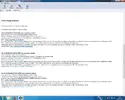
leggilo con whocrashed e riposta la lettura
 
Mi sa tanto la seconda. E' un vecchio pc con un Sempron sotto e una GT 230. Lo usa sempre mio fratello per fare qualche gioco pesante come qualche mmorpg e puntualmente succede quando gioca. CPU e GPU stanno intorno ai 60° sotto carico. E ho messo CoreTemp che lo spenga automaticamente quando arriva ai 70 (mai) qualche giorno fa.
Ma un bluescreen non è mai capitato. Giusto qualche giorno.
 
Pubblicità
Pubblicità
Indietro
Top