PROBLEMA Blue screen con notebook nuovo

Pubblicità
Stato
Discussione chiusa ad ulteriori risposte.

Stefano87

Utente Attivo
Messaggi
307
Reazioni
5
Punteggio
55
Ragazzi eccomi di nuovo con un problema sul notebook, mi sono infilato in una discussione nella sezione notebook con il mio problema ma è meglio che ne apra una tutta mia per non invadere i problemi altrui :)

Praticamente dopo un po che il pc è in idle lo trovo spento o riavviato o inchiodato... facendo un test con prime95 dopo qualche minuto mi trovo con questa schermata qui IMG-20130608-WA0000.webp
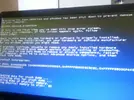
mi è stato detto che può essere un problema di driver video.. ma uso gli ultimi beta 13.6 della ATI.. il pc era appena stato formattato con win7 64bit quando il problema è comparso...

Mi è stato nuovamente consigliato di riprovare il prime95 con antivirus staccato (uso avast)

Non so più cosa fare.. perchè se gioco per 3 ore il problema non lo fa... al contrario in idle crasha -.-'

Grazie a tutti ragazzi!
 
lo scarichi lo installi e poi clicchi su analyze freccia verde e una volta esaminato selezioni tutto il testo presente e lo incolli qui
 
Ok appena torno a casa provo!

- - - Updated - - -

Ecco il report.. spero ci sia tutto!

[FONT=Segoe UI, Arial]computer name: STEFANO-PC
windows version: Windows 7 Service Pack 1, 6.1, build: 7601
windows dir: C:\Windows
CPU: GenuineIntel Intel(R) Core(TM) i7-3630QM CPU @ 2.40GHz Intel586, level: 6
8 logical processors, active mask: 255
RAM: 8476057600 total
VM: 2147352576, free: 1985433600


[/FONT]
[FONT=Segoe UI, Arial]
Crash Dump Analysis

[/FONT]
[FONT=Segoe UI, Arial]Crash dump directory: C:\Windows\Minidump[/FONT]
[FONT=Segoe UI, Arial][/FONT]
[FONT=Segoe UI, Arial]Crash dumps are enabled on your computer.
[/FONT]
[FONT=Segoe UI, Arial]On Tue 06/08/2013 19:24:59 GMT your computer crashed
crash dump file: C:\Windows\Minidump\080613-14196-01.dmp
This was probably caused by the following module: [FONT=Segoe UI, Arial]ntoskrnl.exe[/FONT] (nt+0x75C00)
Bugcheck code: 0xF4 (0x3, 0xFFFFFA8009722910, 0xFFFFFA8009722BF0, 0xFFFFF800031DA350)
Error: [FONT=Segoe UI, Arial]CRITICAL_OBJECT_TERMINATION[/FONT]
file path: C:\Windows\system32\ntoskrnl.exe
product: [FONT=Segoe UI, Arial]Microsoft® Windows® Operating System[/FONT]
company: [FONT=Segoe UI, Arial]Microsoft Corporation[/FONT]
description: NT Kernel & System
Bug check description: This indicates that a process or thread crucial to system operation has unexpectedly exited or been terminated.
This appears to be a typical software driver bug and is not likely to be caused by a hardware problem. This problem might be caused by a thermal issue.
The crash took place in the Windows kernel. Possibly this problem is caused by another driver that cannot be identified at this time.


[/FONT]
[FONT=Segoe UI, Arial]On Tue 06/08/2013 19:24:59 GMT your computer crashed
crash dump file: C:\Windows\memory.dmp
This was probably caused by the following module: [FONT=Segoe UI, Arial]ntkrnlmp.exe[/FONT] (nt!KeBugCheckEx+0x0)
Bugcheck code: 0xF4 (0x3, 0xFFFFFA8009722910, 0xFFFFFA8009722BF0, 0xFFFFF800031DA350)
Error: [FONT=Segoe UI, Arial]CRITICAL_OBJECT_TERMINATION[/FONT]
Bug check description: This indicates that a process or thread crucial to system operation has unexpectedly exited or been terminated.
This appears to be a typical software driver bug and is not likely to be caused by a hardware problem. This problem might be caused by a thermal issue.
The crash took place in the Windows kernel. Possibly this problem is caused by another driver that cannot be identified at this time.


[/FONT]
[FONT=Segoe UI, Arial]
Conclusion

[/FONT]
[FONT=Segoe UI, Arial]2 crash dumps have been found and analyzed. No offending third party drivers have been found. Consider configuring your system to produce a full memory dump for better analysis.


Read the topic general suggestions for troubleshooting system crashes for more information.

Note that it's not always possible to state with certainty whether a reported driver is actually responsible for crashing your system or that the root cause is in another module. Nonetheless it's suggested you look for updates for the products that these drivers belong to and regularly visit Windows update or enable automatic updates for Windows. In case a piece of malfunctioning hardware is causing trouble, a search with Google on the bug check errors together with the model name and brand of your computer may help you investigate this further.


[/FONT]
 
sembra essere qualche driver che a livello kernel ti fa andare in bsod il pc... e nemmeno aiuta la lettura del dmp è molto generica come cosa... prova con windows update e vedi se c'è qualche aggiornamento driver
 
con una nuova formattazione riuscirei a risolvere? ma poi il motivo.. perchè lo fa solo in idle e mentre gioco no?? :(

- - - Updated - - -

Disistallando l'antivirus questo è l'errore che esce con il programmino

[FONT=Segoe UI, Arial]Crash dump directory: C:\Windows\Minidump[/FONT]
[FONT=Segoe UI, Arial][/FONT]
[FONT=Segoe UI, Arial]Crash dumps are enabled on your computer.
[/FONT]
[FONT=Segoe UI, Arial]On Mon 10/06/2013 11:43:54 GMT your computer crashed
crash dump file: C:\Windows\Minidump\061013-19203-01.dmp
This was probably caused by the following module: [FONT=Segoe UI, Arial]ntoskrnl.exe[/FONT] (nt+0x75C00)
Bugcheck code: 0x1A (0x403, 0xFFFFF680002968A0, 0x886000018FEEA867, 0xFFFFF680001CC4A0)
Error: [FONT=Segoe UI, Arial]MEMORY_MANAGEMENT[/FONT]
file path: C:\Windows\system32\ntoskrnl.exe
product: [FONT=Segoe UI, Arial]Microsoft® Windows® Operating System[/FONT]
company: [FONT=Segoe UI, Arial]Microsoft Corporation[/FONT]
description: NT Kernel & System
Bug check description: This indicates that a severe memory management error occurred.
This might be a case of memory corruption. More often memory corruption happens because of software errors in buggy drivers, not because of faulty RAM modules.
The crash took place in the Windows kernel. Possibly this problem is caused by another driver that cannot be identified at this time.


Mi sembra che la situazione si aggravi :(
[/FONT]

- - - Updated - - -

potrebbe servire formattare? la partizione dell'hard disk?
 
Stato
Discussione chiusa ad ulteriori risposte.
Pubblicità
Pubblicità
Indietro
Top